
AI Influencer Porn: Complete Creator Guide
A complete guide to building adult virtual creators for explicit content — character design, NSFW production, monetisation, consent, and platform rules.
MakeCorn Editorial
Updated Aug 5, 2026 · Reviewed for responsible AI use
The short answer: AI influencer porn is the use of generative artificial intelligence to create realistic or stylised explicit images, videos, and interactive text featuring virtual characters that look, talk, and perform like adult performers — without any human being involved in the actual sexual act. This guide covers everything from character design to monetisation, platform rules, and the absolute ethical guardrails you must follow.
What People Searching This Actually Want
When someone types "ai influencer porn" into a search engine, they are typically one of three types of people:
-
An aspiring creator who wants to build a virtual adult star using AI tools like Stable Diffusion, ComfyUI, or specialised NSFW platforms. They want a step-by-step workflow.
-
A marketer or entrepreneur looking to understand the business model — costs, revenue streams, platform restrictions, and whether this is a sustainable niche.
-
A curious observer who heard about deepfake controversies or AI-generated OnlyFans clones and wants to know what is actually legal, ethical, and possible.
This guide is written for the first two audiences. It will not waste your time with hype or hand-waving. You will get concrete techniques, checklists, and a 30-day plan that you can execute today. But first, you must internalise the hard rules that separate a professional creator from someone who will get banned, sued, or worse.
Hard Rules That Must Appear Clearly
-
Adult-only (18+) characters only. No exceptions. No "aged-up" child characters, no anime lolis, no virtual teenagers pretending to be adults. If there is any reasonable doubt about a character's age, do not use it.
-
No minors or childlike depictions. This includes stylised cartoon children, "cute" infantile features, or any character that evokes a minor. Adult content regulators and platforms use zero-tolerance policies. You will face lifetime bans and potential legal action.
-
No non-consensual real-person intimate media. Never use AI to generate nude or sexual content of a real person without their explicit written consent. This includes celebrities, ex-partners, friends, or anyone whose image you do not own.
-
No private stolen images. Never train a model on or input photos that were taken without the subject's knowledge or permission. Work only with your own original material, licensed content, or public domain images that are clearly for adult use.
-
Human review before publishing. Every AI-generated image or video that contains nudity or sexual activity must be inspected by a human. Automated filters miss too much. A single unapproved image can get your entire account deleted and your reputation ruined.
These are not suggestions. They are the minimum threshold for operating in this space without destroying yourself or others. The rest of this guide assumes you accept them completely.
Definitions and Categories
Before diving into workflow, you need a shared vocabulary. The term "AI influencer porn" covers multiple distinct products.
| Category | Description | Example |
|---|---|---|
| AI-generated nude images | Still images created from text prompts or image-to-image workflows showing explicit nudity, genitals, breasts, and sexual poses. | A photorealistic image of a blond virtual woman in a bedroom with visible labia and areolae. |
| AI-generated pornographic video | Short clips or longer videos, usually 5–60 seconds, created with tools like Stable Video Diffusion, AnimateDiff, or Runway Gen-3, showing sexual acts. | A looping clip of a virtual couple performing oral sex with fluid dynamics. |
| Erotic AI chat characters | Conversational AI personas that engage in sexually explicit roleplay via text, sometimes with voice synthesis. | A "VR girlfriend" chatbot that chats about fantasies and generates descriptive erotic scenarios. |
| Interactive virtual influencer | A complete social-media persona — Instagram, Twitter/X, OnlyFans — that posts both SFW and NSFW AI-generated content and interacts with fans as a fictional character. | An AI influencer account with a backstory, daily posts, and paid premium explicit content. |
| AI-assisted photomanipulation | Using AI inpainting or outpainting to add explicit elements to existing real photos (with consent) or to composite virtual bodies. | Removing clothing from a selfie after the subject signed a model release. |
Each category has different tools, difficulty levels, and monetisation paths. This guide will focus primarily on creating still images and short video clips for a virtual influencer account because that is the most common and accessible entry point.
End-to-End Practical Workflow
Building an AI influencer porn project involves six phases. Below is the complete pipeline.
Phase 1: Character Design and Consistency
You need a character that is visually distinct, sexually appealing to your target audience, and reproducible across different poses, lighting, and contexts. The single biggest technical challenge in AI porn is character consistency — making sure the same face, body, and style appear in every output.
Step 1: Define the archetype. List demographic features: age (clearly adult, e.g., "25–35 years old"), ethnicity, hair colour, body type (slim, curvy, athletic), breast size, pubic hair style, any tattoos or piercings, skin tone, and facial structure. Write a 100-word description. Example:
"Maya is a 28-year-old South Asian woman with shoulder-length black hair, brown eyes, full lips, and a curvy hourglass figure (hips 40 inches, waist 28, cup size D). She has a small lotus tattoo on her left hip, trimmed pubic hair, and no piercings. Her aesthetic is natural glam — soft lighting, minimal makeup, neutral backgrounds."
Step 2: Generate reference images. Use a tool like Stable Diffusion with a NSFW-allowed checkpoint (e.g., Pony Diffusion XL, Juggernaut XL, or a fine-tuned model like Realistic Vision). Create 20–30 images with different angles, expressions, and lighting. Keep the same prompt engineering — use a consistent "trigger word" or token for the character if you plan to train a LoRA.
Step 3: Train a LoRA (Low-Rank Adaptation). This is the professional method for character consistency. Collect 20–50 images of your virtual character (can be AI-generated from step 2, or a mix with real photos if you own the rights). Crop faces tightly and body shots separately. Use a tool like Kohya_ss or Onetrainer to train a LoRA with a trigger word like "maya_v1". A typical training run takes 2–4 hours on a single 24GB GPU (e.g., RTX 4090) or you can use cloud services like RunPod or SaladCloud. The LoRA will embed the character's visual identity so you can call it in any new generation.
Step 4: Build a prompt template. Your standard prompt should include: trigger word, body type, pose, expression, environment, lighting, camera angle, and NSFW tags. Example:
maya_v1, full body photo, standing nude, looking at camera, smiling, soft natural lighting, bedroom background, from knees up, realistic skin texture, high detail, (best quality:1.4), exposed breasts, visible vulva, labia, natural pubic hair, shaved labia
Add negative prompts to avoid deformities: bad anatomy, ugly, extra fingers, disfigured, mutation, poorly drawn face, watermark, text, low quality, jpeg artifacts.
Phase 2: Sexually Explicit Image Generation
Once your character is consistent, you move to explicit content. This requires a model that has been trained on NSFW data. Most base Stable Diffusion models are filtered. You need one of these:
- Pony Diffusion XL (excellent for stylised and photorealism)
- Juggernaut XL (balanced SFW/NSFW)
- Realistic Vision (older but reliable)
- Custom merges from Civitai (search "NSFW", "hardcore", "porn")
Techniques for explicit content:
- Direct prompt: "nude", "exposed breasts", "visible labia", "shaved pussy", "erect nipples", "areolae", "open vagina". Many models require specific tags like "breasts", "pussy", "nude" in that order. Experiment.
- Inpainting for genitals: Generate a clothed image, then mask the genital area and use an inpainting model to add explicit nudity. This gives you more control over body positioning.
- ControlNet for poses: Use OpenPose (pose estimation) to force the character into specific sexual positions — missionary, doggy style, cowgirl, etc. You can find open-source pose images online or create your own.
- Depth maps: For 69 positions or close-ups, use depth ControlNet to ensure overlapping bodies look physically coherent.
Sample prompt for a sexual act (two characters):
maya_v1, another woman "girl_v1" (her LoRA), cowgirl position, maya on bottom, girl_v1 on top, grinding, both nude, visible penetration, pussy on pussy, tribadism, wet, missionary, bedroom, soft lighting, (best quality:1.2), realistic
Note: Dual-character prompts often produce confusion. Using separate LoRAs and adjusting weights helps. You may need to generate many passes to get a passable image.
Phase 3: AI Pornographic Video Generation
Video is the highest-value content but hardest to get right. Short clips (5-15 seconds) of explicit acts are typical.
Tools:
- AnimateDiff with Stable Diffusion — requires a workflow in ComfyUI. AnimateDiff generates motion from a text prompt or image sequence. It's free but computationally heavy.
- Runway Gen-3 Alpha — commercial, fast, but has strict NSFW limits. You can generate nudity but explicit sex acts are filtered. Use for "suggestive" content only.
- Stable Video Diffusion — less control but produces smooth motion. Works best for slow-panning nudity, not hardcore acts.
- Kling AI (China-based) — offers extreme NSFW with few filters, but be cautious with data privacy.
Workflow for hardcore video with AnimateDiff:
- Generate a consistent keyframe image (using your LoRA) of a sexual act.
- Load the image as the initial latent in ComfyUI.
- Apply a ControlNet (OpenPose or depth) sequence to drive motion (e.g., thrusting motion, head bobbing).
- Set frame count: 16-32 frames (about 1-2 seconds at 16fps). Longer videos introduce flickering and morphing artifacts.
- Use a motion LoRA for smoother movements (e.g., "thrusting", "undulating").
- After generation, upscale with Topaz Video AI or ESRGAN to 1080p.
Important: Video artifacts are common — faces morph, limbs warp, textures glitch. Expect a 10-20% usable rate. Always human-review each frame for unrealistic anatomy or unintended content.
Phase 4: Erotic Chat and Interactive Content
Many creators pair visual content with a chatbot that simulates the character's personality. This increases subscriber retention.
Tools:
- Character.AI — banned NSFW. Do not use.
- Pygmalion 2 — open-source, uncensored, runs locally or on a cloud GPU. You can fine-tune it with your character's backstory and dialogue style.
- JanitorAI — web-based, allows NSFW, but limited character customization.
- Custom GPT on API — use any LLM (Mistral, Llama 2/3) with a system prompt that includes your character's age, personality, sexual preferences, and boundaries. Example system prompt:
"You are Maya, a 28-year-old South Asian woman. You are friendly, sexually open, but respect boundaries. You chat with subscribers in a first-person erotic narrative. You never describe yourself as underage. You may describe explicit sexual acts, bodily fluids, and genitals using adult language. You will stop if the user requests a break."
Operate within platforms that allow NSFW (e.g., a private Discord bot, Replika with adult mode disabled, or a custom website). OnlyFans and Fansly do not allow interactive chatbots directly, but you can offer "custom video responses" that are pre-recorded.
Phase 5: Audio and Voice Synthesis
Voice adds a powerful layer. Use a text-to-speech model fine-tuned on your character's voice. Options:
- ElevenLabs — supports voice cloning from 5 minutes of audio. You can create a synthetic voice for Maya. Acceptable for erotic narration. Not all voices pass as convincing.
- Suno Bark — open-source, can generate expressive speech including breaths, moans, and emotional tones. Works well for short clips.
- RVC (Retrieval-based Voice Conversion) — convert your own recorded voice (or a fictional voice) into Maya's. More work but higher quality.
Synchronise mouth movements for video using a tool like Wav2Lip — feed the audio and a video clip, and it will animate the lips. For explicit content, exact lip sync is less critical; many fans accept a narrated still image or a slideshow.
Phase 6: Packaging and Platform Upload
Your final content needs to be resized, compressed, and uploaded with appropriate metadata.
Image specs: 1080x1350 pixels (4:5 for Instagram), 1920x1080 for video, JPEG quality 90%, no watermarks that obscure anatomy.
Video specs: MP4 H.264, 30fps max, bitrate 8-10 Mbps, duration under 60 seconds for most platforms. For OnlyFans, you can upload longer.
Metadata for organisational use: Tag images with character name, pose, act, lighting, and quality rating (1-5). This helps you A/B test what content performs best.
Prompting and Production Techniques
Beyond basic prompts, there are advanced techniques that separate professional output from amateur slop.
Weighted Prompts
Use (word:weight) syntax. Example: (penetration:1.6), (facial expression:1.4), (realistic skin texture:1.3). Weights above 1.5 can break coherence. Use step by step.
Regional Prompting
In ComfyUI, use a conditioning mask to apply different prompts to different areas of the image. For example, prompt the face region with "beautiful detailed face" and the genital region with "high detail vagina, labia minora, clitoris". This prevents the model from blending features.
Inpainting for Fixes
After an initial generation, you will often have issues like three fingers, missing nipples, or weird shadows. Use inpainting to mask the problem area and regenerate with a targeted prompt. Common fixes:
closed eyes→ inpaint eyes withopen eyes, looking at viewermissing nipple→ inpaint chest withvisible nipple, areolaemerged fingers→ inpaint hand withfive fingers, hand
LoRA Blending
You can combine multiple LoRAs — one for the character, one for a specific sex act (e.g., "facial expression of pleasure"), and one for lighting style. Merge them with weights (e.g., character 0.8, act 0.3, style 0.5). Test each combination.
NSFW Model Selection
Not all NSFW models are equal. On Civitai, look for models with high ratings for "photorealistic hardcore" or "realistic porn". Check the "Trained Words" section for recommended prompt terms. Many models require a specific negative prompt: (worst quality, low quality, normal quality:1.4), (monochrome:1.1), (grayscale:1.1), (text:1.2), (watermark:1.2).
Sex Act Specific Prompts
| Act | Effective Prompt Terms |
|---|---|
| Vaginal penetration | penis entering vagina, prone bone, missionary, doggy style, cowgirl |
| Oral sex | blowjob, deepthroat, penis in mouth, cunnilingus, tongue on vulva |
| Mutual masturbation | fingering, hand on vulva, hand on penis |
| Anal | anal penetration, anus, butt plug |
| Group | threesome, gangbang, multiple penises |
| BDSM | bondage, rope, ball gag, spreader bar (check model capabilities) |
Negative Prompt Master List
Build a standard negative prompt that removes common failures:
bad anatomy, ugly, extra fingers, disfigured, mutation, poorly drawn face, poorly drawn hands, extra limbs, missing limbs, floating limbs, disconnected limbs, malformed limbs, out of focus, long neck, long body, crooked teeth, signature, watermark, username, text, worst quality, low quality, normal quality, jpeg artifacts, nsfw censored, censorship, boundary, frame, border, decades old, mangled, extra ears, mutated hands, poorly drawn eyes, deformed, bad proportions, gross proportions, cloned face, morbid, unnatural colours, plastic, doll, early 2000s stock photo
Quality Control and Common Failures
AI porn has a high failure rate. Experienced creators discard 70–90% of generations. Here is how to identify and reduce failures.
Anatomy Checklist
- Hands: Count fingers. Look for webbing, extra digits, or fusion. Hands are the most common failure.
- Feet: Toes should be five per foot, not clubbed.
- Face: Eyes should be symmetrical, not glassy, and pupils should match (unless heterochromia is intended). Teeth should not be a solid block.
- Breasts: Areolae should be round, not blurry. Nipples should not be misplaced on the side of the breast.
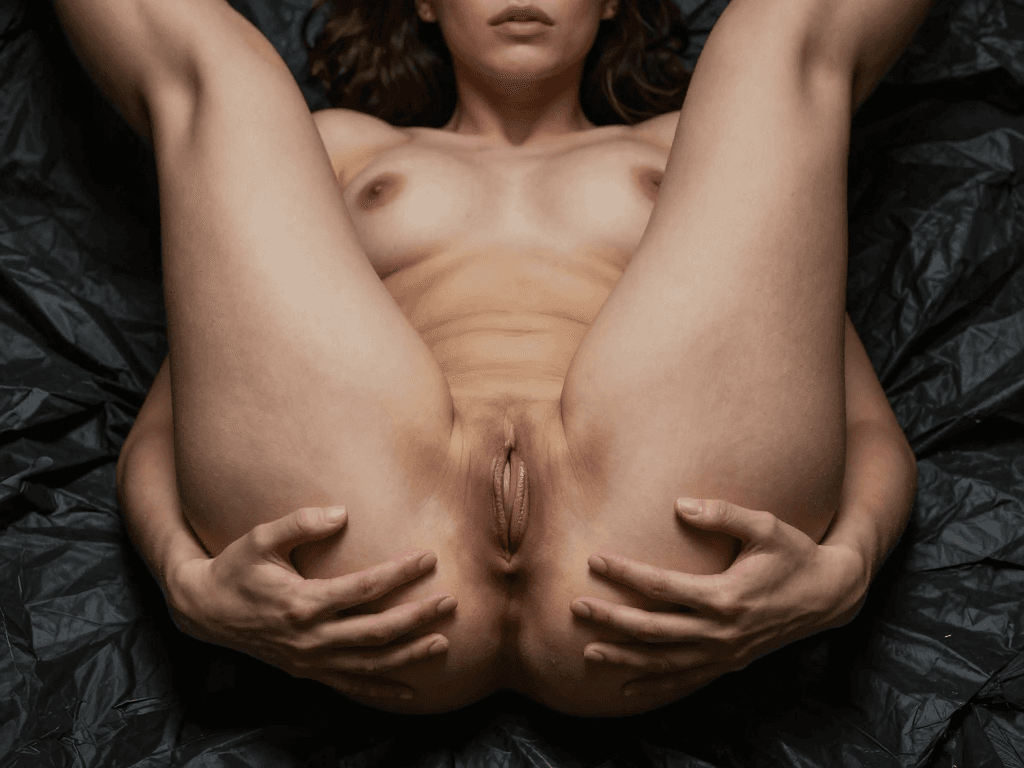
- Genitals: Vulva should have distinct labia minora and majora. Penis should have glans and shaft visible; testicles should be separate. Avoid "blended" genital shapes.
- Proportions: Head-to-body ratio should be realistic. Arms not too long or too short. Torso length normal.
Consistency Failures
- Face changes across generations: If your LoRA is weak, the face will drift. Retrain with more images (15–50). Use a higher rank (64-128) for more detail.
- Skin texture inconsistency: Different lighting can make the same character look like a different person. Use a constant lighting keyword:
soft diffused lighting,professional studio lighting. - Tattoos and piercings disappear: Add them to the prompt explicitly. If they still vanish, train a separate LoRA for the tattoo.
Environmental Failures
- Background bleeding: The model sometimes treats background objects as part of the body. Use a simple background like
solid grey backgroundorwhite seamless backdrop. - Shadows: Shadows should match lighting direction. Inpainting can fix hard shadows.
Video Failures
- Morphing: Faces change shape every frame. Lower the motion intensity. Use a motion LoRA tuned for subtle movement.
- Flickering: Apply temporal smoothing in post (e.g., DaVinci Resolve Temporal Noise Reduction).
- Unsynchronised lips: Only use Wav2Lip when you have stable video; otherwise, it will look worse.
Quality Review Protocol
Before publishing any image or video, run it through this checklist:
- Age verification: Does the character look clearly adult? If unsure, delete.
- Anatomy: Check hands, feet, face, genitals. Use pixel-level zoom.
- Consistency: Compare to 3 previous outputs of the same character. Does it match face and body?
- Intent: Is the content clearly depicting a consensual act between adults? (Even if fictional, the act should not imply coercion or violence.)
- Platform compliance: Would this pass the platform's TOS? If not, edit or discard.
Consent, Privacy, and Platform Rules
This section is critical. The AI influencer porn space is legally and morally precarious. You must have a clear policy.
Consent Framework
When you generate an AI character, you are not using a real person's likeness. That is fine for entirely fictional characters. However, if your AI character is based on or inspired by a real person, you need their explicit written permission. This includes:
- Using a real person's face as a training image (even if you turn it into a cartoon)
- Using voice clips to clone a real person's voice
- Creating an AI version of a known adult performer
Practical rule: If someone could recognise "Maya" as their ex-girlfriend, neighbour, or favourite pornstar, you are in grey territory. Change the face significantly. Use generic features.
Privacy Protection
- Do not publish any identifiable information about yourself or your team. Use a business address, anonymous payment methods, and separate email.
- Do not use real location data in background images. Blur or change street signs, storefronts, and personal items.
- Metadata stripping: Remove EXIF data from images. Tools like ExifTool or "Exif Shield" for Android/iOS.
- Watermark removal: If you use assets from the internet (e.g., a bed texture), crop out watermarks.
Platform Rules: Where You Can and Cannot Post
This changes frequently. As of early 2025, here is the landscape.
| Platform | NSFW Policy for AI Content | Notes |
|---|---|---|
| OnlyFans | Allows AI-generated nudity and explicit content, but requires all characters to be clearly fictional and labels "AI generated content". You must mark posts as "Model Generated" or similar. | Largest market. No live AI chatbots allowed. |
| Fansly | Similar to OnlyFans. Explicit AI allowed. | Growing platform, slightly less strict. |
| ManyVids | Allows AI but has a review process. Some creators report removals. | Smaller user base. |
| Zero tolerance for nudity. Do not post explicit. Teaser thumbnails only (blurred). | Use for SFW marketing to drive traffic. | |
| Twitter/X | Allows consensual nudity (must be labelled "Sensitive Content"). AI explicit video can stay unless reported. | High risk of suspension if algorithm detects. |
| Subreddit-specific. r/AIGirls, r/SexyAIgirls allow. Others ban. | Check sub rules. | |
| Patreon | Bans explicit AI porn as of 2024 policy update. | Do not attempt. |
| Telegram / Discord | Private channels allowed, but company TOS prohibits illegal content. Age verification required. | Best for communities, not primary monetisation. |
Important: All platforms require that content is not illegal, does not involve real minors, and does not depict non-consensual acts. Even if AI, violent or degrading content can get you banned.
Reporting and Compliance
- Keep a log of each image's prompt, model used, and date. This helps if a platform asks.
- Respond to takedown notices immediately. Even if you believe content is legal, it is easier to remove than fight.
- Do not fight platform decisions. You have no due process rights on private platforms. Create a new account with a backup.
Monetisation and Packaging
AI influencer porn is a business. Treat it like one.
Revenue Streams
-
Subscription platforms (OnlyFans, Fansly) — monthly fee. Typical price: $5–$15/month. 80% of content is SFW teasers, 20% is explicit. Top creators earn $500–$5,000/month if they have a dedicated fanbase.
-
Pay-per-view (PPV) — unlock individual explicit videos or photosets. Price: $3–$20 per item. Best for high-quality video.
-
Custom content — fans request specific poses, acts, dialogue. Charge $20–$100 per custom image, $50–$300 per video.
-
Premium group chats — via Telegram or Discord. Monthly access fee. Includes daily exclusive content and AI chatbot interaction.
-
Merchandise — print explicit images on posters, mugs, clothing (careful with platform approval). Use Printful or similar with age verification.
-
Training and consulting — sell LoRA training services, prompt packs, or one-on-one coaching to other creators. Higher barrier to entry but scalable.
Pricing Strategy
Start low to build a following. Example:
- Basic subscription: $7.99/month. Includes 20 SFW posts per month, 10 explicit.
- VIP: $19.99/month. Includes all basic content plus daily PPV, direct messaging, and 1 custom image per month.
- Custom video: $100 per 30-second video, +$50 if it includes audio.
Marketing Without Explicit Ads
Most advertising platforms ban adult AI content. Use these channels:
- Reddit: Post SFW previews in subreddits like r/AIGirls, r/RealGirlsWithFaces (AI variants). Link to your OnlyFans in bio.
- Twitter/X: Post sexy but non-nude images (lingerie, cleavage, suggestive poses). Use hashtags like #AIInfluencer, #VirtualInfluencer, #AIGirlfriend.
- TikTok: Deeply restrictive. Only post fully clothed, full-face content with no sexual context. Some creators get banned anyway.
- Collaboration: Cross-promote with other AI influencers. Offer to generate content for them in exchange for a shoutout.
- SEO: Write guides like this one. Rank for "ai influencer porn", "best ai porn generator", "virtual girlfriend nudes". Use a website (e.g., yourname.com) with a blog and affiliate links to tools.
Cost Structure
| Cost Item | Monthly Estimate (USD) |
|---|---|
| Cloud GPU (RunPod, etc.) for 10 hours/week | $80–$200 |
| OnlyFans/Fansly commission (20%) | Revenue-based |
| Character LoRA training (one-time) | $20–$100 (cloud) |
| ElevenLabs subscription | $22/month |
| Social media management tools (Buffer) | $15/month |
| Domain and hosting | $15/month |
| Legal/accounting (hourly) | $100–$300 occasional |
Total operational costs: $150–$400/month before revenue. Most creators break even by month three.
30-Day Plan to Launch Your AI Influencer Porn Account
This is a realistic timeline assuming you have basic AI generation knowledge.
Week 1: Foundation
- Days 1–2: Choose your character archetype. Write the 100-word bio. Select a name that is not trademarked.
- Days 3–4: Set up Stable Diffusion (ComfyUI or Automatic1111). Install a NSFW checkpoint (e.g., Pony Diffusion XL). Test basic image generation with non-explicit poses.
- Days 5–7: Generate 30 images of your character in various non-nude poses (causal, sexy but covered). Select the best 10–15 for face consistency. Train a LoRA with these images.
Week 2: First Explicit Content
- Days 8–10: Use the LoRA to generate 50 explicit images: breasts, vulva, masturbation. Human-review each one. Keep only the best 10.
- Days 11–12: Create 3 short video clips (5 seconds each) using AnimateDiff or similar. Fix with inpainting. Render final.
- Days 13–14: Build a simple website or landing page with your character bio, SFW gallery, and link to OnlyFans.
Week 3: Platform Setup and First Posts
- Days 15–16: Create OnlyFans and Fansly accounts. Set subscription tiers. Upload 5 SFW posts as teasers.
- Days 17–18: Create Twitter and Reddit accounts. Post 1–2 SFW teasers per day. Engage with other AI creator communities.
- Days 19–20: Produce 5 explicit images for the paid tier. Upload with accurate tags. Write a welcome message to new subscribers.
Week 4: Marketing and Refinement
- Days 21–23: Run a promotion: first month $3.99. Share the discount on Reddit and Twitter. Monitor engagement.
- Days 24–26: Based on feedback (what poses get most likes), generate more of that style. Produce 3 custom content orders for paying subscribers.
- Days 27–28: Setup a Telegram or Discord channel for fans. Offer a free SFW image to everyone who joins.
- Days 29–30: Review analytics: what content earned most, what platforms referred traffic, cost per subscriber. Adjust next month's plan.
Post-30 Days
Your goal is 100 subscribers by month 3. Focus on weekly content drops, daily engagement, and systematic improvement in image quality.

Scenario Walkthroughs
Scenario 1: Creating a Custom Video for a Subscriber
A subscriber named "John" requests a 20-second video of your character Maya masturbating with a vibrator while saying his name. Here is the step-by-step walkthrough.
-
Confirm age and boundaries. Verify John is 18+ via his OnlyFans age verification. Ensure the request does not violate any hard rules (no minors, non-consensual, etc.). Accept or decline politely.
-
Plan the visual. You decide on a solo scene: Maya lying on a bed, legs spread, using a pink vibrator against her vulva. Face visible, looking at the camera. Soft lighting, neutral background.
-
Generate keyframe image. Use your Maya LoRA with prompt:
maya_v1, lying on bed, legs spread, nude, holding pink vibrator, vibrator on vulva, looking at viewer, aroused expression, soft lighting, realistic skin, (best quality:1.4). Generate 10 images. Pick the best with correct anatomy and consistent face. -
Inpaint fixes. The chosen image has a missing clitoral hood. Inpaint the genital area with prompt
detailed vulva, clitoris, labia minora, wet. Also fix a slightly blurred left hand. -
Create video with AnimateDiff. Load the keyframe into ComfyUI. Use a motion LoRA for "thrusting" or "undulating" (low intensity). Set 32 frames at 16fps (2 seconds). Generate. Review each frame — discard if face morphs. You may need to run 3-5 attempts.
-
Add audio. Record a short audio clip of your own voice (or use ElevenLabs) saying "John, oh John, yes" in a breathy tone. Use Suno Bark to generate a moaning background. Sync with Wav2Lip — but since the video is only 2 seconds, you can simply overlay the audio as a separate track in DaVinci Resolve.
-
Post-production. Upscale video to 1080p. Add a subtle vignette. Remove metadata. Rename file:
maya_custom_john_vibrator_2025-01-20.mp4. -
Deliver. Send the video via OnlyFans PPV message. Price: $100. Include a thank-you note and a link to your custom content order form for future requests.
Scenario 2: Dealing with a Platform Ban
You wake up to find your OnlyFans account suspended for "violating content policy." You know all your content was fictional and age-verified. Here is the recovery walkthrough.
-
Do not panic. Read the suspension email carefully. Note the exact reason given (e.g., "AI-generated content not clearly labelled" or "suspected minor").
-
Gather evidence. For each flagged piece of content, collect: the original prompt, the LoRA training data (all images were AI-generated adults), the date of generation, and any platform labels you applied (e.g., "Model Generated").
-
Appeal via OnlyFans support. Submit a concise appeal: state that all characters are fictional adults, that you have logs of every generation, and that you strictly follow age verification. Do not argue; be polite.
-
If appeal fails, you have no recourse. Platforms are private. Move to Fansly or ManyVids. Use the same content but double-check labelling.
-
Prevent future bans. Add a visible watermark on every explicit image: "AI Generated – Fictional Adult Character." Update your bio to state clearly that all models are virtual and 18+. Consider using a third-party age verification service (e.g., Yoti) for your own website.
Inline FAQs
Q: How do I fix inconsistent faces across generations?
A: Retrain your LoRA with more diverse images (20–50) and use a higher rank (128). Also, keep your prompt consistent: always include the same trigger word, lighting, and camera angle keywords.
Q: Can I use a real person's photo as a base for my AI character?
A: Only if you have their explicit written consent and a model release. Otherwise, it is non-consensual deepfake territory. Use entirely AI-generated faces.
Q: What do I do if a model generates a face that looks underage?
A: Delete immediately. Do not even review it. Run a secondary age-check filter (e.g., a simple classifier) and manually inspect every output. If in doubt, throw it out.
Q: How do I avoid getting banned on Twitter/X?
A: Always mark posts as "Sensitive Content." Never post explicit nudity on your main timeline; keep it to the "Media" tab. Engage with AI-art communities rather than mainstream porn hashtags.
Q: What is the best way to create a consistent voice for my character?
A: ElevenLabs with a custom voice trained on 5–10 minutes of audio (your own voice or a synthetic one). Use the same voice settings for every clip. Avoid accents that change between generations.
Q: Can I sell AI-generated porn on Etsy?
A: No. Etsy bans adult content, especially AI-generated. Stick to adult-only platforms.
Q: How do I price custom content?
A: Start with $20–$50 per image and $80–$200 per video. Raise prices as demand increases. Offer discounts for bulk orders (e.g., 5 images for $75).
Q: What is the biggest mistake new creators make?
A: Skipping human review. One bad image (e.g., a character that looks 16, or a non-consensual act) can destroy your entire online presence. Always check every pixel.
Checklists + Final Takeaway
Pre-Production Checklist
- Character is clearly 18+ (verified by multiple factors: face, body, voice, stated age in bio)
- No part of the character resembles a real minor or child
- No training data includes real people without consent
- All source images for LoRA are either AI-generated or consensually obtained
- Budget allocated for GPU, subscription fees, and legal reserve
Production Checklist (Per Image)
- Prompt includes trigger word for your LoRA
- Negative prompt includes standard anatomy fixes
- Resolution: at least 1024x1024, prefer 1344x768
- Inpainting applied for any obvious anatomical errors
- Final image passes the "hand test": zoom in, count fingers
- Genitals appear anatomically plausible (no merged labia, missing clitoris, etc.)
- Face matches the character reference from previous generations
Video Production Checklist
- Keyframe image is consistent with character LoRA
- Motion LoRA intensity is low (0.3–0.5) to avoid morphing
- Frame count ≤32 for AnimateDiff (shorter = better)
- Temporal smoothing applied in post if flickering
- Audio synced (if using Wav2Lip, test on a short clip first)
- Final video upscaled to 1080p, bitrate 8–10 Mbps
Post-Production Checklist
- Metadata stripped from file
- File named with character, pose, date (e.g., "maya_cowgirl_2025-01-15.png")
- Backed up to a secure cloud (encrypted)
- Human reviewed for any accidental non-consensual or minor implications
- Age gate applied before any viewer sees content (e.g., account requires birthday + credit card)
Legal Awareness Checklist
- You have read and understood the terms of service of every platform you use
- You do not use the word "underage", "teen", "loli", "shota", or any variant in prompts or marketing
- You do not create content depicting real public figures (even if funny or satirical)
- You have a plan for a cease-and-desist letter (ignore it? comply? consult lawyer? Prepare a response)
- You operate under a business entity (LLC) if you earn over $20,000/year
Final Takeaway
AI influencer porn is a real, growing market with significant technical and ethical demands. It is not "easy money". The creators who succeed are the ones who invest in character consistency, quality control, and strict adherence to age and consent rules. The ones who fail are those who cut corners on ethics, generate sloppy output, or ignore platform policies.
Your character is your brand. Protect it. If you produce high-quality, consistent, and clearly adult content, you can build a sustainable subscription business. But always remember: behind every pixel is a human viewer, and behind every policy is a platform that can shut you down in seconds.
Do the work, respect the rules, and you can make a living creating virtual adults that millions will pay to see.
For deeper reading on the broader context of AI adult content creation, see our glossary entries on AI adult content for influencers and what is an AI influencer.
Questions, answered
Frequently asked questions
What is an AI adult influencer?
A virtual, adult-only persona used for adult-oriented content and presented transparently.
Can a real influencer be copied?
No. Do not use a real person's likeness or recognisable traits without explicit permission.
How should it be disclosed?
Use clear virtual or AI-generated labels and follow age-gating and platform rules.
Put the workflow into practice
Create original adult AI media with MakeCorn
Choose an image or video model, build a fictional adult character, and keep each generation under your control.
Try MakeCorn →Continue in Explore
Related adult AI niches
Jump into high-intent explore pages connected to this guide — styles, tools, and workflows ready to open in MakeCorn.
Porn Video Editor
A porn video editor powered by AI. Edit adult clips built from original characters — restyle, extend, re-light and lip-sync without filter blocks.
NSFW AI Generator
NSFW AI Generator on MakeCorn — original adult characters, uncensored AI images and video, and a simple workflow you can reuse.
AI Chat Porn
AI Chat Porn on MakeCorn — original adult characters, uncensored AI images and video, and a simple workflow you can reuse.
AI Cartoon Porn
AI Cartoon Porn on MakeCorn — original adult characters, uncensored AI images and video, and a simple workflow you can reuse.
NSFW Video Maker
A NSFW video maker for original adult characters. Go from a prompt or a picture to a finished adult clip, then edit it without leaving the studio.
AI Trans Porn
AI Trans Porn on MakeCorn — original adult characters, uncensored AI images and video, and a simple workflow you can reuse.
Keep reading
Related guides
NSFW AI
AI Boob Enhancer: Complete Editing Guide
A complete guide to AI breast enhancement and body editing for adult content — techniques, consent, privacy, realistic expectations, and safer alternatives.
NSFW AI
AI Girl Sex: Complete Synthetic Media Guide
A full guide to adult synthetic media with female-presenting AI characters — prompting, explicit workflows, consent, and avoiding real-person impersonation.
NSFW AI
AI NSFW Image Editor: Full Creator Guide
A practical guide to editing nude and explicit adult images with AI — inpainting, body edits, lighting, privacy, and quality control.