
SoulGen Alternative: What Adult Creators Should Compare
Looking for a SoulGen alternative? Compare the actual job, visual consistency, exports, privacy, editing, video, and creator workflow before switching.
MakeCorn Editorial
Updated Aug 5, 2026 · Reviewed for responsible AI use

Updated August 2026
SoulGen built a solid reputation as an AI girl generator. It handles anime-style and realistic character generation well, its outpainting and inpainting features give you more control than most image-only tools, and the brand recognition is deserved — there's a reason 14,000+ people search for it every month in the US alone.
But SoulGen is an image tool. That's all it is. And in 2026, the creators making real money with AI aren't just generating pretty pictures — they're producing video content, building recognizable character brands, and monetizing across multiple platforms. SoulGen gives you one piece of that puzzle. This guide covers what you're missing, what the alternatives look like, and which platform fills every gap SoulGen leaves open.
What SoulGen Actually Does Well
Before we get into limitations, SoulGen deserves credit where it's due. It's not a bad tool. It's a limited one.
Anime and Realistic Generation
SoulGen's core strength is generating AI characters in two distinct modes: anime-style and realistic. The anime generation is particularly strong — clean line work, consistent proportions, a style that appeals to a large audience. The realistic mode produces decent human portraits, though it doesn't match the photorealism of newer models like Nano Banana Pro or GPT Image 1.
Outpainting and Inpainting
This is where SoulGen has a genuine edge over some competitors. Outpainting lets you extend the boundaries of a generated image — expand the scene beyond the original frame. Inpainting lets you modify specific regions of an image while keeping the rest intact. Both features give you more editing control than a basic text-to-image generator.
Cloth Removal Editing
SoulGen includes NSFW editing capabilities that let you modify clothing in generated images. For creators focused on NSFW content, this is a functional feature that works as advertised.
Simple Interface
The platform is straightforward to use. There's no steep learning curve, no complex prompt engineering required, and results generate quickly. For someone who just wants to produce AI girl images, it's a low-friction experience.
The honest assessment
SoulGen is a competent AI image generator with some useful editing features. If all you need is static images of AI-generated characters, it does the job. The problem is that "static images" stopped being enough for serious creators sometime around mid-2025. The content landscape moved, and SoulGen didn't move with it.
Why Creators Look Beyond SoulGen
The searches for "SoulGen alternative" have been climbing steadily, and the reasons are predictable once you understand what today's AI content market actually demands. Here's what pushes creators past SoulGen's ceiling.
No Video Generation — At All
This is the single biggest limitation. SoulGen generates images. It does not generate video. Not short clips, not animated sequences, not text-to-video, not image-to-video. Zero video capability.
In 2026, video isn't a nice-to-have. It's the dominant content format on every platform that matters. Short-form video drives 3-5x more engagement than static images on Instagram, TikTok, and YouTube. The AI video generation space has exploded — models like Sora 2, Kling v3.0, Seedance 2.0, and Veo 3.1 can produce footage that genuinely looks like it was professionally shot. Creators using these models are building audiences that SoulGen users simply cannot reach with static images alone.
If you're serious about building an AI content brand, an image-only tool is a starting line, not a destination.
No Face Swap
Every image SoulGen generates is an island. You can create a beautiful character in one image, but there's no mechanism to carry that exact face into your next image, or the one after that, or into video content. Each generation rolls the dice on facial features — similar, maybe, but never identical.
Face swap solves this by letting you take one character face and apply it to any piece of content. Your AI persona looks the same in every photo, every video, every platform appearance. That consistency is what transforms random AI-generated images into a recognizable brand. SoulGen doesn't offer it.
No Lip Sync
Your AI character can't speak on SoulGen. Can't narrate a product review. Can't deliver a sponsorship message. Can't do a talking-head TikTok clip. Can't record a YouTube video.
Lip sync technology matches audio — recorded or generated — to a character's face with phoneme-accurate mouth movement. It's what enables the content formats that actually make money in 2026: product reviews, brand deal content, YouTube commentary, TikTok talking heads. SoulGen is a silent platform in a world where the money follows the voice.
No Motion Control
There's no way to direct camera movement, character trajectories, or scene choreography on SoulGen because there's no video to direct. Motion control lets creators specify where a character walks, how the camera tracks, what gestures happen and when — turning AI generation from a random output into a directed production. This capability separates hobby-level content from professional-grade work.
No Character Consistency System
SoulGen's inpainting gives you some control within a single image. But across multiple images? Across an entire content library of hundreds of posts? There's no character system, no face lock, no identity persistence. You're generating a new person every time, hoping she looks like the last one.
Character consistency is the foundation of every successful AI influencer brand. Your audience needs to recognize your character instantly — same face, same proportions, same distinctive features — whether they're seeing a photo on Instagram, a video on TikTok, or a clip on YouTube. SoulGen has no answer for this.
Limited Model Selection
SoulGen gives you one generation pipeline. You get its built-in model, and that's it. If you want a different aesthetic, a different level of photorealism, or a model optimized for a specific content type, you're out of luck.
The best platforms now offer 10+ image models, each with different strengths. Want ultra-photorealistic portraits? One model. Creative artistic compositions? Another. Fast iteration for testing ideas? A third. Model selection isn't a luxury — it's how you match the right tool to each piece of content.
No Content Monetization Pipeline
SoulGen generates images. What you do with them after that is entirely your problem. There's no workflow for building a content strategy, no tools for maintaining a brand identity across platforms, and no integration with the monetization channels where AI creators actually earn — OnlyFans, Fanvue, YouTube, TikTok.
A real creation platform doesn't just generate content. It supports the full pipeline from character design to content production to distribution to revenue.
The Best SoulGen Alternative: MakeCorn
MakeCorn was built for exactly the creators who've outgrown image-only tools like SoulGen. It's a full AI influencer creation platform — you design a character, generate images and videos of that character with consistent identity, add voice and motion, and build a content pipeline that works across every platform where creators earn money.
Here's what it actually delivers.
10+ AI Image Models That Match or Beat SoulGen's Quality
Let's start where SoulGen is strongest — image generation — because MakeCorn doesn't just match it here, it surpasses it with range and depth that SoulGen can't touch.
| Model | Best For | How It Compares to SoulGen |
|---|---|---|
| Nano Banana Pro | Ultra-photorealistic portraits, lifestyle shots | Significantly more realistic than SoulGen's realistic mode. Skin texture, lighting, and anatomical accuracy are a generation ahead. |
| GPT Image 1 | Complex scene compositions, creative concepts | Handles multi-element scenes and unusual prompts far better. OpenAI's architecture excels at understanding context. |
| Qwen 2.0 Pro Edit | Post-generation editing, refinement | More powerful than SoulGen's inpainting. Edit outfits, backgrounds, poses, expressions after generation. |
| Seedream | Fast iteration, diverse styles | Ultra-fast generation for rapid content testing. Useful for exploring concepts before committing credits to premium models. |
SoulGen gives you one model with two modes (anime and realistic). MakeCorn gives you 10+ models, each optimized for different content needs. That's not just more options — it's the ability to pick the right tool for every specific piece of content you produce.
Nano Banana Pro deserves a specific callout. It produces photorealistic AI-generated humans that are consistently mistaken for real photography. The skin texture, hair detail, lighting response, and anatomical proportions are noticeably ahead of what SoulGen's realistic mode outputs. If image quality is what brought you to SoulGen in the first place, Nano Banana Pro is a direct upgrade.
For the full breakdown of every available model, see our best AI models for image generation guide.
AI Video Generation with 10+ Models
This is the capability gap that no amount of SoulGen updates can close, because SoulGen was never built for video. MakeCorn gives you access to over 10 state-of-the-art video generation models, each with different strengths:
| Model | Best For | Speed | Quality |
|---|---|---|---|
| Sora 2 | Cinematic brand videos, narrative clips | Moderate | Exceptional |
| Kling v3.0 | Fast social clips, motion realism | Fast | Excellent |
| Veo 3.1 | Clips with built-in audio and dialogue | Moderate | Excellent |
| WAN 2.1 | NSFW content, unrestricted generation | Fast | Very Good |
| Seedance 2.0 | Dance and choreography content | Fast | Very Good |
| Runway Gen-3 | Style transfer, creative effects | Moderate | Very Good |
Quick TikTok clip? Kling v3.0 generates in under a minute. Cinematic YouTube intro? Sora 2 produces footage that looks professionally shot. Content with native dialogue and sound? Veo 3.1 generates audio built into the video. You choose the model based on what you're making, not what the platform limits you to.
The complete AI video generator guide covers every model in depth, including which ones work best for specific content types and platforms.
Face Swap for Character Consistency
This is what converts "generating random AI images" into "building an AI influencer brand." Face swap takes your character's face — the one you designed, the one your audience knows — and applies it to any generated video. Every piece of content features the same person.
The workflow: generate a video with any model, then run face swap to replace the face with your character's established look. Same eyes, same bone structure, same expression style, regardless of which video model or prompt produced the original clip.
SoulGen can't do this. On SoulGen, your character looks slightly different every time. On MakeCorn, your character is always recognizably, unmistakably herself. That recognition is what builds followers. Learn more in our face swap guide.
Lip Sync for Talking Content
Record audio or use text-to-speech, and lip sync matches it to your character's face with phoneme-accurate mouth movement. The result looks natural even on close-up shots — the AI tracks actual speech sounds, not just generic jaw movement.
This opens up every content format that drives revenue in 2026:
- Product review videos — Your character discusses and demonstrates products with natural speech
- Sponsorship and brand deal content — Deliver scripted brand messages convincingly
- YouTube commentary and narration — Full talking-head videos, no camera required
- TikTok talking-head clips — The format that generates the highest engagement on the platform
- Podcast-style content — Long-form audio-visual content for YouTube and Spotify
MakeCorn supports lip sync clips up to 10 minutes — long enough for complete YouTube videos, not just social media snippets. Our lip sync guide covers the full workflow.
Motion Control
Direct your character's movement and camera angles like a real film shoot. Motion Control uses trajectory-based controls that let you specify where a character walks, where the camera pans, how the scene unfolds, and what gestures the character makes.
This is what separates AI content that looks randomly generated from content that looks intentionally directed. Smooth tracking shots, dramatic reveals, choreographed movement sequences — the production quality that used to require a physical film crew and a location budget.
SoulGen generates a still frame. MakeCorn generates a directed scene.
Head-to-Head Feature Comparison
Here's the complete side-by-side. This covers every feature category that matters for content creation in 2026:
MakeCorn vs SoulGen
| Feature | MakeCorn | SoulGen |
|---|---|---|
| AI Video Generation | Yes, 10+ models (Sora 2, Kling, Veo, WAN) | No |
| Face Swap | Yes, built-in | No |
| Lip Sync | Yes, up to 10 minutes | No |
| Motion Control | Yes, camera + character paths | No |
| Image Models | 10+ (Nano Banana, GPT Image, Qwen, Seedream) | 1 model with 2 modes |
| Image Quality (Realistic) | Photorealistic, multi-model | Good, single model |
| Image Quality (Anime) | Supported across models | Strong, dedicated mode |
| Outpainting | Yes, via Qwen 2.0 Pro Edit | Yes, built-in |
| Inpainting | Yes, via Qwen 2.0 Pro Edit | Yes, built-in |
| Character Consistency | Advanced (face lock + face swap) | None |
| NSFW Support | Full (images + video) | Images only |
| Content Monetization | Full pipeline | Not supported |
| Batch Generation | Yes | Limited |
| Model Selection | User chooses per generation | No choice |
The pattern is clear: SoulGen holds its own in basic image generation and has solid editing features. But the moment you need anything beyond static images — video, consistency, voice, motion, monetization — it has nothing to offer.
Image Quality: A Closer Look
Since SoulGen's primary value proposition is image quality, this comparison deserves depth. Here's how the actual image output compares across the categories that matter most.
Photorealistic Portraits
SoulGen's realistic mode produces decent AI portraits. Skin texture is smooth, faces are generally well-formed, and the output looks like an AI-generated image — which is to say, it's clearly not a photograph to a trained eye.
Nano Banana Pro on MakeCorn produces portraits that are regularly mistaken for real photos. The difference shows up in details: pore-level skin texture, natural hair strand rendering, accurate light falloff across facial contours, and anatomically correct proportions. Side by side, SoulGen's realistic output looks like a good AI image. Nano Banana Pro's output looks like a photograph.
Anime and Stylized Content
This is SoulGen's strongest category. Its anime mode produces clean, well-proportioned characters with a style that appeals to a broad audience. If anime is your primary content type, SoulGen does this well.
MakeCorn handles anime and stylized content across multiple models, each with a different aesthetic range. You're not locked into one anime style — you can generate across multiple visual approaches to find what resonates with your specific audience. The range is broader, even if SoulGen's default anime style is polished.
NSFW Image Quality
SoulGen's cloth removal editing works, but it's fundamentally an edit of an existing generation. The modified areas can sometimes look inconsistent with the rest of the image — slightly different skin tones, texture mismatches at edit boundaries, or unnatural anatomy in the modified regions.
MakeCorn generates NSFW content natively. The AI creates the full image from the prompt, so there are no edit boundaries, no texture mismatches, and no visible seams between edited and unedited regions. The result is more cohesive because nothing was modified after the fact — it was generated as a complete image from the start.
Complex Scenes and Compositions
SoulGen handles single-character portraits well but struggles with complex multi-element scenes, unusual camera angles, or detailed environmental compositions. The model was trained primarily for character generation, and that focus shows when you push beyond its comfort zone.
GPT Image 1 on MakeCorn excels at exactly these complex compositions. Multiple characters in a scene, detailed environments, unusual perspectives, narrative-driven setups — OpenAI's architecture handles prompt complexity that SoulGen's model simply can't parse.
Editing and Refinement
SoulGen's inpainting and outpainting are genuinely useful features. Being able to modify specific regions of an image or extend the frame gives you control that basic text-to-image tools lack.
MakeCorn counters with Qwen 2.0 Pro Edit, which offers more granular editing control. You can change outfits, swap backgrounds, adjust poses, modify expressions, and refine details — all on an already-generated image. The editing capabilities are deeper, even if SoulGen's interface for basic inpainting is arguably simpler.
The image quality verdict
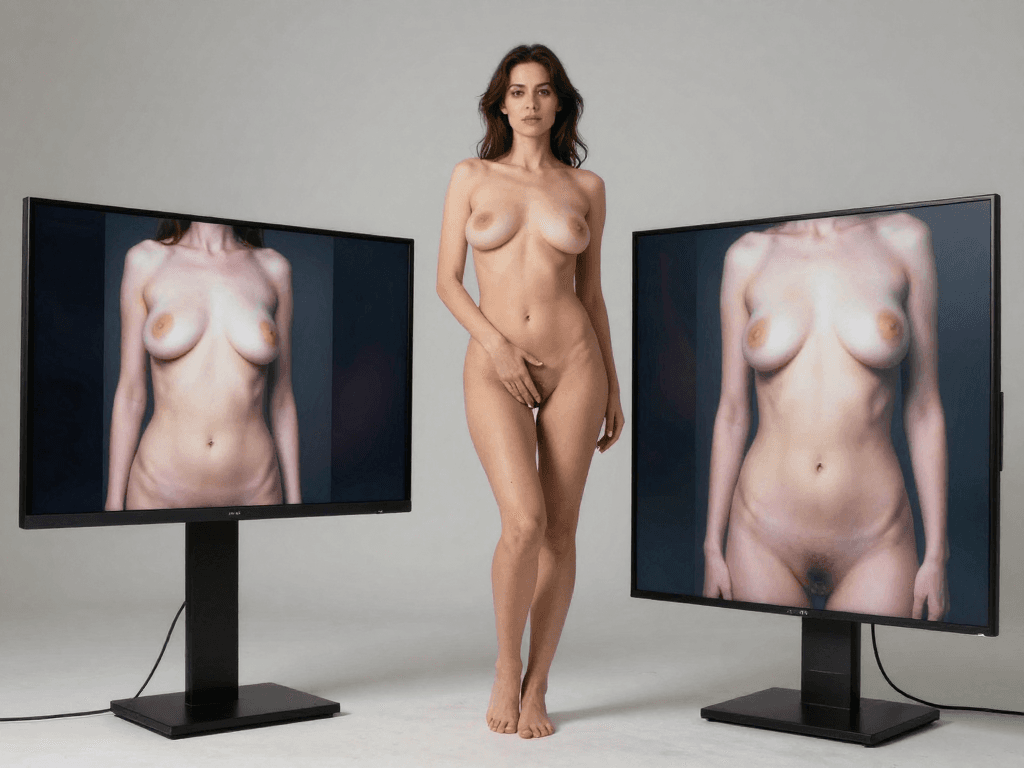
If you only generate anime characters, SoulGen's dedicated anime mode is strong. For everything else — photorealism, complex scenes, NSFW, editing depth — MakeCorn's multi-model approach produces better results because you're picking the best model for each specific task instead of forcing one model to handle everything.
Other SoulGen Alternatives Worth Knowing
MakeCorn is the strongest option if you want a full creation platform. But your specific needs might point elsewhere. Here's how every major alternative stacks up.
PromptChan AI
Best for: Community-driven NSFW image generation with a gallery of shared prompts.
PromptChan lets you generate AI images from text prompts and browse a community gallery of creations. The shared prompt library is useful if you're still learning how to write effective prompts — you can see what works for other creators and adapt their approaches. NSFW content is fully supported.
What it lacks: No video generation. No face swap. No lip sync. No character consistency system. The community gallery is a nice discovery feature, but it doesn't replace the production tools you need to build a brand. PromptChan is a single-purpose image generator with a social layer, not a content creation platform.
Compared to SoulGen: Similar capability range for image generation, but with community features. Neither offers video or character consistency. If you're choosing between these two, the decision comes down to whether you prefer SoulGen's editing features or PromptChan's community prompts.
Seduced AI
Best for: Higher-quality NSFW image generation with more style control.
Seduced AI produces good-quality NSFW images with more style options and resolution control than SoulGen. The output quality is competitive for static images, and it includes a companion chat feature for character interaction.
What it lacks: No video generation, no face swap, no lip sync, and no character consistency system. Each generation is independent — you get better individual images but can't build a recognizable persona across your content library. It's a better image tool than SoulGen in some respects, but it hits the same ceiling.
Compared to SoulGen: Arguably better raw image quality for realistic NSFW content. Lacks SoulGen's anime mode and inpainting/outpainting features. If images are all you need and you don't care about anime, Seduced AI is a lateral move or slight upgrade. If you need anything beyond images, neither platform delivers.
Civitai
Best for: Technical users who want maximum control over AI image generation.
Civitai is a platform for sharing and using custom AI image models (primarily Stable Diffusion-based). It gives you access to thousands of community-created models, each fine-tuned for specific styles, characters, or aesthetics. The quality ceiling is very high — but reaching it requires technical knowledge that most creators don't have.
What it lacks: Civitai is a model repository, not a production platform. There's no integrated video generation, no face swap, no lip sync, no character system, and no monetization tools. You need to run your own generation pipeline (locally or through a service), manage model files, understand sampling parameters, and handle your own post-processing. For technically skilled users, it's powerful. For everyone else, the learning curve is prohibitive.
Compared to SoulGen: The quality potential is higher if you know what you're doing. But SoulGen's appeal is simplicity, and Civitai is the opposite of simple. Different tools for different users. Neither solves the video or consistency problem.
Glambase
Best for: Beginners who want a simple AI influencer setup without a steep learning curve.
Glambase offers a streamlined AI influencer creation workflow with a simpler interface than most alternatives. It's designed for people testing whether the AI influencer model works for them. The character creation is guided, the output is decent, and the barrier to entry is low.
What it lacks: Limited video capabilities compared to MakeCorn. No face swap. No lip sync. Fewer image models. Less customization depth. Glambase gets you started, but most creators who take the work seriously outgrow it quickly — the same way they outgrow SoulGen, just slightly later.
Compared to SoulGen: Glambase is a broader platform (it tries to cover the influencer workflow, not just images) but shallower in each capability. SoulGen produces better images. Glambase offers a more complete concept of what building an AI influencer looks like, even if the execution is limited.
What You Can Actually Build After Switching
To make this concrete, here's what a creator workflow looks like after moving from SoulGen to a full creation platform:
Step 1: Design Your AI Character
Use the character creator to define appearance, personality, voice, and visual style. Unlike SoulGen's random generation, this character persists — she's the consistent face across every piece of content you produce.
Step 2: Build an Image Library
Generate 80-100 images across different settings, outfits, and scenarios using multiple AI models. Nano Banana Pro for photorealistic portraits, GPT Image 1 for creative compositions, Qwen for refined edits. This becomes your Instagram and Twitter content backlog.
Step 3: Generate Video Content
Create short clips with Kling v3.0 (fastest turnaround) or cinematic pieces with Sora 2. Apply face swap to every video so your character looks identical in motion as she does in photos. Post to TikTok, YouTube Shorts, and Instagram Reels.
Step 4: Add Voice with Lip Sync
Record audio or use text-to-speech and create talking-head videos. Product reviews, commentary, and brand deal content become possible. This is typically the moment former SoulGen users realize the size of the gap.
Step 5: Direct with Motion Control
Choreograph camera movement and character motion for professional-grade content. Smooth tracking shots, dramatic reveals, and intentional scene composition replace the randomness of basic generation.
Step 6: Monetize Across Platforms
Distribute content to Instagram, TikTok, OnlyFans, Fanvue, YouTube, and Twitter. Build a following with a consistent, recognizable AI persona and earn through subscriptions, brand deals, tips, and ad revenue.
That entire pipeline — from character design to directed video content to revenue — runs through one platform. With SoulGen, you'd generate step 2 (images) and stop there. Steps 3 through 6 are impossible on SoulGen because the features don't exist.
A Typical Month After Making the Switch
Here's what real creator output looks like once the full workflow is running:
Week 1: 20+ unique images generated across different settings using Nano Banana Pro and GPT Image 1. Posted daily on Instagram and Twitter. Character identity established with consistent face across all content.
Week 2: First batch of 10+ short videos created with Kling v3.0. Face swap applied to every clip. Posted to TikTok and YouTube Shorts. Engagement jumps immediately — video content outperforms the static images by 3-4x.
Week 3: Lip sync content begins. Three talking-head videos produced — a product review, a "day in the life" vlog-style clip, and a response to a trending topic. These outperform everything else because they feel more personal and authentic to the audience.
Week 4: Content pipeline is running. 3-5 posts per day across platforms. First brand outreach messages sent. Premium content page launched on OnlyFans or Fanvue. Revenue starts.
On SoulGen, you'd still be generating images one at a time with no consistency between them and no way to convert that work into any of the content formats that drive real engagement and income.
Pricing: SoulGen vs. MakeCorn
SoulGen uses a subscription model. You pay a monthly fee and get access to the image generation tools. The pricing is straightforward, but so is the value proposition: you're paying for an image generator with editing features. No video. No face swap. No lip sync.
MakeCorn uses a credit-based system where you pay for what you create:
| Plan | What You Get | Best For |
|---|---|---|
| Free Tier | Test credits to explore the platform | Evaluating before committing |
| Starter | Base credits, all features unlocked | Testing the full workflow, first content pieces |
| Pro | Higher credit allocation | Consistent daily content production across all models |
| Scale | Maximum credits | Multiple AI influencer accounts, high-volume production |
The credit system means you only pay for what you generate — no wasted subscription fees during slow months. And the credits buy you access to the entire feature set: image generation across 10+ models, video generation, face swap, lip sync, motion control. Everything.
The real cost comparison
A SoulGen subscription buys you image generation and basic editing. A comparable spend on MakeCorn buys you image generation across more and better models, plus video generation, face swap, lip sync, and motion control. The per-dollar value isn't close. More importantly, MakeCorn's output can generate revenue — creators report earning $1,000-$15,000/month from AI influencer content. SoulGen's output is images you can look at. See our monetization guide for detailed breakdowns.
Where the Money Actually Goes
Think about it from an ROI perspective:
SoulGen subscription → Images you can post on social media. Some engagement, no direct revenue path. The content has value, but the platform provides no tools to convert that value into income.
MakeCorn credits → Images + videos + talking-head content you can post everywhere and monetize directly. The same budget produces content that works on OnlyFans (subscription revenue), YouTube (ad revenue), TikTok (creator fund + brand deals), Instagram (sponsorships), and Fanvue (tips + subscriptions).
The question isn't "which is cheaper?" It's "which one pays for itself?"
Making the Switch from SoulGen
If you're coming from SoulGen, the transition is smooth — you already understand AI image generation, so you're not starting from zero. Here's how to get up to speed quickly:
-
Sign up at MakeCorn — the free tier lets you test every feature before spending anything.
-
Create your character using the character designer. You'll have far more customization options than SoulGen — ethnicity, body type, facial features, hair, clothing style, personality traits, voice. This character becomes the foundation of your brand.
-
Generate your first images with Nano Banana Pro. This is the moment most former SoulGen users notice the quality difference. The photorealism is a step up from SoulGen's realistic mode — more natural skin texture, better lighting, more convincing anatomy.
-
Try the editing with Qwen 2.0 Pro Edit. If you relied on SoulGen's inpainting/outpainting, you'll find Qwen's editing capabilities are deeper. Change outfits, swap backgrounds, adjust poses — all on already-generated images.
-
Generate your first video with Kling v3.0. This is usually the "aha" moment. SoulGen users have never seen their AI characters move. Kling generates a clip in under a minute, and the quality is immediately impressive.
-
Apply face swap to lock your character's face onto the video. Now your character looks identical in both your images and your videos — something SoulGen fundamentally cannot do.
-
Try lip sync. Record a 30-second audio clip and watch your character speak it. This is the feature that makes former SoulGen users realize exactly how far behind an image-only platform leaves them.
For a complete walkthrough, our getting started guide covers every step from account creation to first published content.
Building a Full AI Influencer Brand
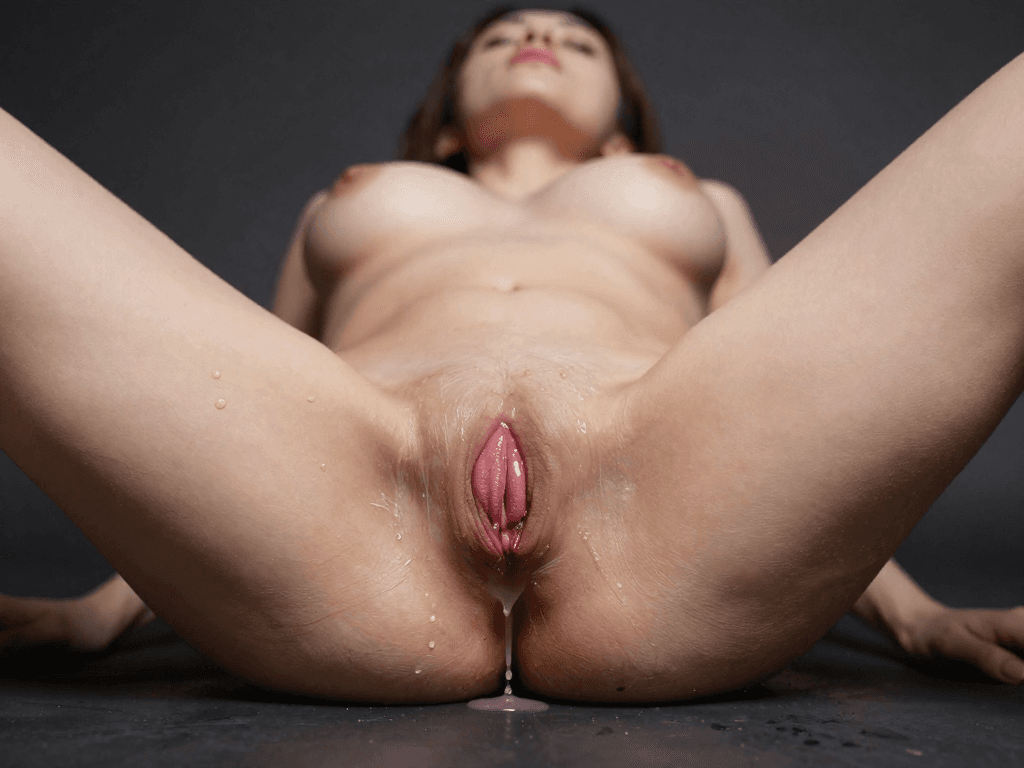
SoulGen can help you generate individual images. But building an actual AI influencer brand — one that grows a following and generates income — requires capabilities that SoulGen doesn't have. Here's what that looks like when you have the right tools.
Content Diversity
A successful AI influencer posts across multiple formats: photos, short-form video, long-form video, talking-head commentary, choreographed content, reaction clips, and brand deal deliverables. MakeCorn supports all of these. SoulGen supports one.
The creators earning the most from AI influencer content aren't doing one thing well — they're doing many things consistently. A single AI persona that can appear in a polished Instagram photo, a dynamic TikTok clip, a YouTube commentary video, and a sponsored brand integration is exponentially more valuable than one that only appears in static images.
Platform Coverage
Different platforms reward different content types:
- Instagram: Photos and Reels (images + short video)
- TikTok: Short-form video with face and voice
- YouTube: Long-form video with narration and commentary
- OnlyFans/Fanvue: Premium content behind a paywall (images + video)
- Twitter/X: Images, short clips, and engagement-driven content
With SoulGen, you can serve Instagram photos and Twitter images. That's two platforms, partially served. With MakeCorn, you can serve every platform with native-quality content optimized for each one's format preferences.
Brand Consistency Across Everything
The thread that ties all of this together is character consistency. Your AI influencer needs to look the same everywhere — same face in a photo, same face in a video, same face delivering a lip sync message. This is what makes an audience believe they're following a person, not a random image generator.
MakeCorn's combination of character design, face swap, and consistent generation models makes this possible. SoulGen generates a different face every time and gives you no tools to fix that.
For a deep dive into building consistent AI characters, see our character consistency guide.
Frequently Asked Questions
Is MakeCorn actually better than SoulGen for image quality?
For photorealistic content, yes. Nano Banana Pro produces images that are a measurable step ahead of SoulGen's realistic mode in skin texture, lighting accuracy, and anatomical detail. For anime content specifically, SoulGen's dedicated anime mode is strong — but MakeCorn offers anime-style generation across multiple models, giving you more aesthetic range. The real advantage isn't one model being better; it's having 10+ models to choose from so you always use the best tool for each specific image.
Can I create anime-style content on MakeCorn?
Yes. Multiple image models on the platform handle anime and stylized content. You're not limited to one anime aesthetic the way SoulGen locks you into its specific style. You can generate across different anime visual approaches — from clean character illustrations to more painterly or expressive styles — depending on what your audience responds to best.
Does MakeCorn have inpainting and outpainting like SoulGen?
Yes, through Qwen 2.0 Pro Edit. The editing capabilities are actually more extensive than SoulGen's — you can modify specific regions, change outfits, swap backgrounds, adjust poses, and refine details on already-generated images. If SoulGen's inpainting was a key feature for you, Qwen provides a deeper version of the same capability.
How does the credit system compare to SoulGen's subscription?
SoulGen charges a flat monthly subscription for image generation access. MakeCorn uses credits that cover all features — image generation, video generation, face swap, lip sync, motion control. You pay for what you create. During busy months, you use more credits. During slow months, you use fewer. The flexibility is better, and the per-dollar value is significantly higher because credits buy access to video and advanced features, not just images.
Can I make NSFW content?
Yes. MakeCorn supports full NSFW content creation across both images and video, with models like WAN 2.1 designed for unrestricted generation. SoulGen offers NSFW image editing, but MakeCorn generates NSFW content natively — meaning the full image or video is generated as a complete piece, without the edit boundaries and texture inconsistencies that come from modifying existing generations.
Is MakeCorn harder to use than SoulGen?
SoulGen is simpler because it does less. MakeCorn has more features, but the interface is designed for creators, not engineers. If you can use SoulGen, you can use MakeCorn — you'll just have more tools available. The image generation workflow is equally straightforward, and video, face swap, and lip sync are each guided through step-by-step interfaces. Our getting started guide covers everything.
What if I only want to generate images — is SoulGen enough?
If static images are genuinely all you need and you don't plan to create video, build a consistent character brand, or monetize beyond casual social media posting, SoulGen does work for that narrow use case. But most creators who start with images eventually want video — because that's where the audience growth and money are. Starting on a platform that already has video, face swap, and lip sync means you won't need to migrate later when your ambitions grow.
How long does it take to generate video content?
It depends on the model. Kling v3.0 generates a 5-second clip in under a minute. Sora 2 takes a few minutes for higher-quality cinematic output. Face swap and lip sync each add a processing step, but the full pipeline from prompt to finished clip typically takes 2-5 minutes. Compared to the zero video capability on SoulGen, even a 5-minute wait is a transformative upgrade.
Can I use MakeCorn for both anime and realistic content?
Yes. Different models excel at different styles. Nano Banana Pro leads for photorealism. Other models handle anime, painterly, illustrative, and mixed styles. You're not locked into one aesthetic. You can even create the same character in both realistic and anime styles for different platforms or audience segments — something SoulGen can do (with its two modes) but without any consistency between the outputs.
What platforms can I post content to?
Anything. The content you generate on MakeCorn is yours. Creators commonly post to Instagram, TikTok, YouTube, Twitter/X, OnlyFans, Fanvue, and Reddit. The platform doesn't restrict distribution — and because the content features original AI characters (not modified photos of real people), it's compliant with platform policies everywhere.
The Bottom Line
SoulGen is a decent AI image generator. It has earned its popularity with solid anime generation, useful inpainting and outpainting tools, and a straightforward interface. If all you need is static images of AI-generated girls, it handles that.
But "static images" is a shrinking category. The AI content market in 2026 runs on video. The creators building real audiences and real income are generating video content, maintaining consistent character identities with face swap, creating talking-head content with lip sync, and directing professional-quality scenes with motion control. SoulGen offers none of this.
MakeCorn covers everything SoulGen does — with better image quality across more models — and then adds the entire production stack that SoulGen is missing. Video generation, face swap, lip sync, motion control, character consistency, monetization pipeline. It's the difference between an image generator and a creator platform.
If you're ready to go beyond images, start building on MakeCorn. The free tier lets you test every feature. You'll see the difference in your first generation.
For more on building an AI influencer brand from scratch, check out our guides on creating your first AI influencer, generating professional AI girl content, and monetizing AI influencer content.
Questions, answered
Frequently asked questions
What should I compare in a SoulGen alternative?
Compare the primary output, character consistency, editing and video controls, data retention, export options, and cost per accepted result.
Is MakeCorn a direct replacement for SoulGen?
MakeCorn is the relevant alternative for an adult-creator workflow organized around recurring characters and publishable image/video sets.
How should I test an adult AI alternative?
Use one original adult-character brief, create a small set, measure usable outputs, and verify current terms directly before moving a complete project.
Put the workflow into practice
Create original adult AI media with MakeCorn
Choose an image or video model, build a fictional adult character, and keep each generation under your control.
Try MakeCorn →Continue in Explore
Related adult AI niches
Jump into high-intent explore pages connected to this guide — styles, tools, and workflows ready to open in MakeCorn.
NSFW AI Generator
NSFW AI Generator on MakeCorn — original adult characters, uncensored AI images and video, and a simple workflow you can reuse.
AI Porn Generator
AI Porn Generator on MakeCorn — original adult characters, uncensored AI images and video, and a simple workflow you can reuse.
Realistic AI Porn
Realistic AI Porn on MakeCorn — original adult characters, uncensored AI images and video, and a simple workflow you can reuse.
AI Nude Generator
AI Nude Generator on MakeCorn — original adult characters, uncensored AI images and video, and a simple workflow you can reuse.
3D AI Porn
3D AI Porn on MakeCorn — original adult characters, uncensored AI images and video, and a simple workflow you can reuse.
VR AI Porn
VR AI Porn on MakeCorn — original adult characters, uncensored AI images and video, and a simple workflow you can reuse.
Keep reading
Related guides
Adult AI Alternatives
Candy AI Alternative: What Adult Creators Should Compare
Looking for a Candy AI alternative? Compare the actual job, visual consistency, exports, privacy, editing, video, and creator workflow before switching.
Adult AI Alternatives
Chai AI Alternative: What Adult Creators Should Compare
Looking for a Chai AI alternative? Compare the actual job, visual consistency, exports, privacy, editing, video, and creator workflow before switching.
Adult AI Alternatives
CreatePorn Alternative: What Adult Creators Should Compare
Looking for a CreatePorn alternative? Compare the actual job, visual consistency, exports, privacy, editing, video, and creator workflow before switching.