
Face Swap AI: Reference, Lighting, and Review Guide
A practical face-swap AI workflow for original or permissioned adult characters, covering reference selection, blending, identity, and quality control.
MakeCorn Editorial
Updated Aug 5, 2026 · Reviewed for responsible AI use

AI face swap technology has transformed how creators, marketers, and everyday users produce visual content. Whether you want to swap faces in photos for a social media post, create a face swap video for TikTok, or place your AI influencer's likeness into any scene -- modern face swap tools powered by artificial intelligence deliver photorealistic results in seconds.
In 2026, face swap AI has evolved far beyond the gimmicky, uncanny results of earlier tools. Today's neural networks analyze facial structure, lighting, skin tone, and micro-expressions to produce swaps that are virtually indistinguishable from the original. This guide covers everything you need to know about AI face swapping -- how it works, step-by-step tutorials for photos and videos, the best face swap tools compared, and professional tips for the most realistic results.
| Value | Metric |
|---|---|
| 5M+ | Face Swaps |
| 3 | Swap Methods |
| 12s | Avg Speed |
| 4K | Max Output |
What Is AI Face Swap?
AI face swap is the process of replacing one person's face in a photo or video with another person's face using artificial intelligence. The technology uses deep learning models -- specifically generative adversarial networks (GANs) and diffusion models -- to detect facial landmarks, map the source face onto the target, and blend the result seamlessly.
Modern face swap AI goes far beyond a simple copy-paste. The system analyzes dozens of factors to produce a natural-looking result.
- Facial Landmark Detection — Identifies 68+ facial keypoints including eyes, nose, mouth, jawline, and eyebrows for precise face mapping.
- 3D Face Reconstruction — Builds a three-dimensional model of both faces to handle angle differences and perspective changes.
- Skin Tone Matching — Automatically adjusts the source face's skin tone, color temperature, and exposure to match the target scene.
- Lighting Transfer — Analyzes shadow direction and light intensity in the target image and applies matching illumination to the swapped face.
- Temporal Consistency — For video face swaps, ensures the replacement stays stable and natural across every single frame.
- Edge Blending — Smoothly blends the face boundary with the surrounding skin, hair, and clothing so no seam lines are visible.
How Face Swap Differs from Body Swap
Face swap focuses specifically on the facial region -- typically from the hairline to the jawline. This makes it faster and more targeted than a full body swap, which replaces the entire person. If you need to replace a full body including clothing and pose, see our AI body swap guide.
Face Swap vs Body Swap
| Feature | Face Swap | Body Swap |
|---|---|---|
| Speed | Faster -- face region only | Slower -- full body |
| Precision | Very high for faces | High for full body |
| Use Cases | Portraits, headshots, videos | Full-body scenes |
| Complexity | Lower | Higher |
| Best For | Quick face changes | Complete character replacement |
Face Swap Methods on MakeCorn
MakeCorn offers three distinct approaches to AI face swapping, each designed for different scenarios and quality requirements.
Method 1: Photo Face Swap with Nano Banana Pro
Nano Banana Pro — Image Swap
- Swap faces in still images with photorealistic accuracy
- Upload two images: identity source and target scene
- Preserves the target's pose, lighting, and background
- Automatically matches skin tone, shadows, and proportions
- Credits: 14 credits per generation
Nano Banana Pro is MakeCorn's flagship model for image-based face swaps. It accepts two input images -- the first provides the face identity you want to use, and the second provides the scene, pose, and body you want to place that face onto. The AI combines them into a single photorealistic output.
Why Nano Banana Pro excels at face swap:
- Trained on millions of high-quality face images for superior likeness preservation
- Handles diverse angles, expressions, and lighting conditions
- Produces 4K output resolution for crisp, detailed results
- Supports both SFW and NSFW content
Example face swap prompt:
Replace the face in the second image with the face from the first
image. Keep the exact pose, body, clothing, background, and setting
from the second image. Match the skin tone and lighting naturally.
Preserve all facial features, eye color, and face shape from the
first image.
Method 2: Video Face Swap with Subject Swap
Subject Swap — Video Swap
- Replace a person's face in any video with your AI character
- Frame-by-frame processing for temporal consistency
- Preserves original motion, gestures, and expressions
- No flickering or artifacts between frames
- Credits: Varies by video length
Subject Swap enables you to take any existing video and replace the person's face with your AI influencer's likeness. The system processes every frame individually while maintaining visual consistency across the entire clip. The original motion, gestures, body language, and scene dynamics are fully preserved -- only the face changes.
This is ideal for placing your AI character into trending video formats, dance clips, or professional footage without filming anything.
Method 3: Motion Control Face Swap (Highest Quality)
Motion Control — Premium
- Create custom face swap videos from a single image plus motion reference
- Highest quality results with full creative control
- Kling v3.0 engine for smooth, realistic motion
- Supports 3-30 second video output
- Credits: From 17 credits (Standard 3s)
For the highest quality face swap results in video, the Motion Control workflow combines face swapping with motion transfer. You create a pose-matched image of your character using Nano Banana Pro, then apply any reference motion to animate it. This produces the smoothest, most realistic face swap videos because the character is purpose-built for the scene.
For complete Motion Control techniques, see our AI video generation guide.
Step-by-Step Tutorial: Face Swap in Photos
Follow this workflow for professional-quality face swaps in still images.
Step 1: Prepare Your Source Face
Use a clear, well-lit photo where the face is fully visible. Front-facing or slight angle works best. Minimum resolution of 1024x1024 pixels. Ensure no heavy shadows obscure facial features.
Step 2: Choose Your Target Image
Select the photo where you want the face to appear. The target should have a clearly visible face in the pose and setting you want.
Step 3: Open the Image Generator
Log in to MakeCorn, go to your Dashboard, select Image Generator, and choose Nano Banana Pro as your model.
Step 4: Upload Both Images
Upload your source face as the first image (identity source) and the target scene as the second image. Image order matters -- the first image is always the identity source.
Step 5: Write Your Face Swap Prompt
Clearly instruct the model to replace the face while preserving the target scene. Include details about skin tone matching and lighting consistency.
Step 6: Generate and Review
Click Generate and review the result. Check for face accuracy, natural skin tone blending, lighting consistency, and clean edge transitions around the hairline and jawline.
Step 7: Refine if Needed
If the result needs polish, run a refinement pass with Qwen 2.0 Pro Edit to smooth any artifacts, correct color mismatches, or enhance detail.
Face Swap Prompt Templates
Standard face swap:
Replace the face of the person in the second image with the face
from the first image. Keep the exact pose, hair, clothing, body,
background, and setting from the second image. Match the skin tone,
lighting, and shadows naturally. Preserve the identity, eye color,
and facial structure from the first image.
Face swap with expression matching:
Place the face from the first image onto the person in the second
image. Match the expression and emotion of the second image while
using the facial identity from the first image. Preserve natural
lighting, skin tone, and background from the second image.
Pro Tip: Match the Angle
Face swaps produce the most realistic results when the source face angle roughly matches the target. If your target image shows a three-quarter view, use a source face at a similar angle. Prepare source images at multiple angles for maximum flexibility.
Step-by-Step Tutorial: Face Swap in Videos
Video face swapping requires temporal consistency -- the swapped face must look natural and stable across every frame. MakeCorn offers two approaches for video face swaps.
Method A: Subject Swap (Easiest)
Step 1: Navigate to Video Gen
Open your MakeCorn dashboard and go to the Video Gen section.
Step 2: Select Subject Swap
Choose Subject Swap from the available video generation tools.
Step 3: Upload Your Target Video
Upload the video where you want to swap the face. Shorter clips of 5-15 seconds produce the most consistent results.
Step 4: Select Your AI Influencer
Choose your AI influencer as the replacement identity from your character library.
Step 5: Generate and Download
The system processes every frame automatically, replacing the face while preserving motion and scene dynamics. Review the output for consistency.
Tips for Best Video Face Swap Results
Use videos where the face is clearly visible throughout the clip. Avoid videos with rapid head movements, extreme angles, or heavy occlusion from hair or accessories. Consistent, stable lighting produces the cleanest swaps. Shorter clips tend to produce more consistent frame-to-frame results.
Method B: Motion Control Workflow (Highest Quality)
For maximum control and the most polished face swap video results, use the Motion Control workflow:
- Screenshot the first frame of your target video
- Use Nano Banana Pro to face-swap your AI character onto the screenshot, creating a pose-matched starting image
- Go to Video Gen and select Motion Control
- Upload your face-swapped character image as the Character Image
- Upload the original video as the Motion Video
- Generate -- Motion Control applies the exact motion from the video to your character
This method produces the highest quality video face swaps because the character image is purpose-built to match the video's starting frame. The Motion Control engine then ensures smooth, artifact-free motion throughout the entire clip.

Best AI Face Swap Tools Compared
How does MakeCorn stack up against other popular face swap tools? Here is a comprehensive comparison.
MakeCorn vs Higgsfield AI
| Feature | MakeCorn | Higgsfield AI |
|---|---|---|
| Photo Face Swap | yes | yes |
| Video Face Swap | yes | yes |
| Motion Control | yes | no |
| 4K Output | yes | no |
| Lip Sync Integration | yes | no |
| 10+ Image Models | yes | no |
| Character Consistency | yes | Limited |
| NSFW Support | yes | no |
| Custom AI Influencer | yes | no |
| Starting Price | $29/mo | $19.99/mo |
Face Swap Tool Comparison
| Tool | Photo Swap | Video Swap | Quality | Watermark | Price |
|---|---|---|---|---|---|
| MakeCorn | Yes (14 credits) | Yes (Subject Swap + Motion Control) | 4K | No watermark on paid plans | From $29/mo |
| Higgsfield AI | Yes | Limited | 1080p | Watermark on free | From $19.99/mo |
| FaceSwapper.ai | Yes | No | 1080p | Watermark | Free with limits |
| Reface App | Yes | Short clips only | 720p | Watermark | Free with ads |
| DeepSwap | Yes | Yes | 1080p | Watermark on free | From $29/mo |
Why MakeCorn Wins for Face Swap
MakeCorn is not just a face swap tool -- it is a complete AI content creation platform. When you swap a face on MakeCorn, you have immediate access to the full ecosystem: turn that swapped image into a Motion Control dance video, add Lip Sync audio to create a talking head clip, or use Qwen 2.0 Pro Edit to refine every detail. No other face swap tool offers this level of integration.
For a detailed platform comparison, see our MakeCorn vs Higgsfield comparison.
Free Face Swap vs Paid: What You Get
Many people search for "free face swap" tools. Here is an honest breakdown of what free face swap options actually deliver versus what a paid platform like MakeCorn provides.
Paid (MakeCorn) vs Free Face Swap Tools
| Feature | Paid (MakeCorn) | Free Face Swap Tools |
|---|---|---|
| Output Quality | 4K photorealistic | Low-medium resolution |
| Watermarks | No watermarks | Large watermarks |
| Video Face Swap | Full video support | Limited or none |
| Daily Limits | Generous credit system | 1-3 swaps per day |
| Privacy | Your data is secure | Data may be harvested |
| Motion Control | Full integration | Not available |
| API Speed | Priority processing | Slow queue times |
| Support | Priority support | No support |
Be Careful with Free Face Swap Tools
Many free face swap websites harvest your uploaded photos for training data or advertising. Some store your images indefinitely without consent. MakeCorn does not sell or share your data and gives you full control over your generated content.
What Does Face Swap Cost?
MakeCorn offers paid plans starting at $29/month that include credits for face swaps with full-quality output -- no watermarks, no resolution limits. It is the most cost-effective way to produce professional AI face swaps consistently.

Tips for Realistic Face Swaps
Getting photorealistic face swap results requires attention to several factors. These tips apply whether you are swapping faces in photos or videos.
1. Lighting Is Everything
The single most important factor in a realistic face swap is lighting consistency. If your source face was photographed in studio lighting but the target image has harsh outdoor sunlight, the swap will look unnatural. Use source face images with neutral or diffused lighting for maximum versatility across different target scenes.
2. Match the Face Angle
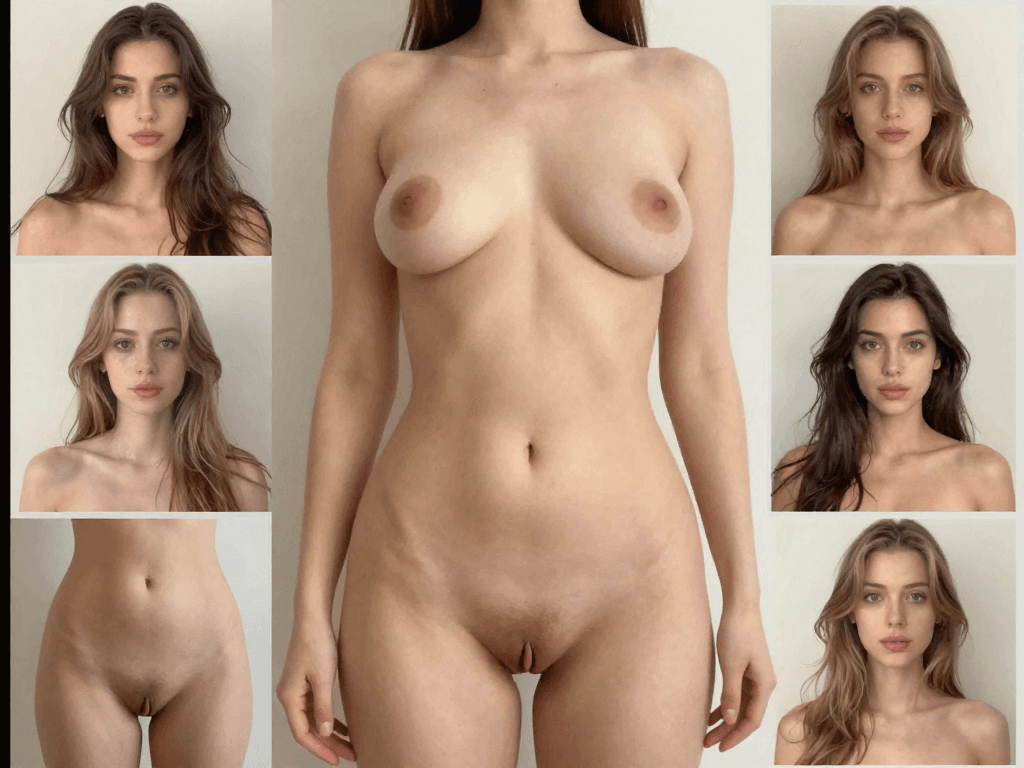
Face swaps work best when the source face angle approximates the target angle. A front-facing source face will struggle when mapped onto a profile or three-quarter view target. The solution is to prepare multiple source face images at different angles -- front, three-quarter left, three-quarter right, and profile.
3. Use High Resolution Inputs
Higher resolution input images produce dramatically better face swap results. Both your source face and target image should be at least 1024x1024 pixels. If your source image is lower resolution, use MakeCorn's upscaling capabilities before performing the swap.
4. Pay Attention to Skin Tone
While AI automatically adjusts skin tone during a face swap, extreme differences between source and target can still produce visible mismatches. When possible, choose target images where the existing person's skin tone is somewhat similar to your source face.
5. Consider Hair and Accessories
The boundary between face and hair is one of the trickiest areas in face swapping. For the cleanest results, use source faces where the hair is pulled back or clearly separated from the face. Glasses, hats, and other accessories can also cause artifacts -- remove them from the source image when possible.
6. Run a Refinement Pass
For the most polished face swap results, run a second editing pass after your initial swap. Use Qwen 2.0 Pro Edit with a prompt like:
Clean up any artifacts around the face edges, smooth skin tone
transitions, ensure lighting consistency, and make the face blend
naturally with the surrounding area.
Pro Tip: Batch Different Angles
Generate your AI influencer's face at 5-7 different angles and save them in your library. When you need to face swap into a specific scene, choose the source angle that best matches the target. This single practice dramatically improves swap quality.
Face Swap Use Cases
AI face swap technology has legitimate, creative applications across content creation, entertainment, marketing, and more.
- Content Creation — Place your AI influencer into any scenario, trend, or viral format. Create dozens of content variations without filming.
- Social Media Videos — Swap your character into trending TikTok videos, Instagram Reels, and YouTube Shorts for instant viral potential.
- Marketing Campaigns — Localize ad creative by swapping models for different markets. A/B test ad variations at scale.
- Entertainment — Create engaging, shareable content with creative face swap concepts for comedy, memes, and entertainment.
- Fashion and E-Commerce — Show how products look on different face types. Generate diverse model imagery from a single photo shoot.
- Film and Production — Pre-visualize casting decisions, create stunt double composites, or produce concept reels for pitches.
Content Creation with Face Swap
For AI influencer creators, face swap is one of the most powerful tools in the toolkit. You can take any trending video, meme template, or viral photo format and instantly place your AI character into it. This means you can participate in every viral trend within hours of it emerging -- something that gives AI influencers a massive advantage over human creators who need to film, edit, and produce their version.
Combine face swap with Motion Control for dance trends, or use it with Lip Sync for talking head content. The possibilities are virtually unlimited.
For the complete guide to building a profitable AI influencer, see how to create an AI influencer.
Marketing and Brand Content
Brands increasingly use AI face swap technology to produce ad variations efficiently. Instead of booking multiple models for different market segments, a single photo shoot can be multiplied into dozens of localized versions. A fashion brand can show the same outfit on AI models matching different demographic profiles, all from one original image.
Entertainment and Social Media
Face swap content consistently goes viral on social media. Creative swaps -- placing a character into unexpected historical photos, reimagining movie scenes, or creating humorous mashups -- generate massive engagement because they are inherently shareable and conversation-starting.
Ethics and Safety of Face Swap
Important: Ethical Face Swap Usage
Never swap real people's faces without their explicit consent. Never create deceptive, misleading, or harmful content with face swap technology. Always disclose when content has been AI-generated or face-swapped. Follow all platform terms of service and local laws regarding synthetic media.
Responsible Face Swap Practices
MakeCorn is designed primarily for use with AI-generated characters that you create and own. This approach inherently reduces ethical concerns because you are working with fictional personas rather than real people's likenesses.
Do:
- Use face swap with your own AI-generated characters
- Disclose AI-generated content where required by platforms
- Use face swap for creative, educational, and commercial purposes with characters you own
- Respect copyright and intellectual property in target images
Do not:
- Create non-consensual face swaps of real people
- Use face swap to create deceptive content intended to mislead
- Swap faces to impersonate real individuals
- Create content that could be used for harassment, fraud, or defamation
Platform Compliance
All major social media platforms now require disclosure of AI-generated content. When posting face-swapped content, use the platform's built-in AI content labels. This transparency builds trust with your audience and keeps your account in good standing.
Frequently Asked Questions
How much does AI face swap cost?
MakeCorn plans start at $29 per month and include credits for face swaps with full-quality output and no watermarks. Many standalone free face swap tools exist, but they typically add watermarks, limit resolution, harvest your data, or restrict you to 1-3 swaps per day.
What is the best face swap app in 2026?
MakeCorn is the best face swap platform for creators and professionals. It combines photo face swap, video face swap, Motion Control, Lip Sync, and 10+ image generation models in a single integrated ecosystem. For quick one-off face swaps, dedicated apps like Reface exist, but they lack the depth and quality of a full creation platform.
How do I face swap in a video?
On MakeCorn, navigate to Video Gen and select Subject Swap. Upload your target video and choose your AI influencer as the replacement. The system processes every frame automatically, replacing the face while preserving all motion and scene dynamics. For highest quality, use the Motion Control workflow where you create a pose-matched starting image first.
Is AI face swap safe to use?
Yes, when used responsibly on a reputable platform. MakeCorn does not sell or share your uploaded images. Your data remains private and secure. The key safety concern is ethical use -- never create face swaps of real people without consent, and always disclose AI-generated content on social media.
Can I face swap without a watermark?
Yes. MakeCorn's paid plans produce face swap output with no watermarks at full resolution up to 4K. Most free face swap tools add prominent watermarks to the output, which makes them unsuitable for professional content creation.
How many credits does a face swap cost?
Photo face swaps using Nano Banana Pro cost 14 credits per generation. Video face swaps with Subject Swap vary by video length. Motion Control video face swaps start at 17 credits for a 3-second Standard clip. Plans start at $29 per month with enough credits for dozens of face swaps.
Can I face swap my AI influencer into any photo or video?
Yes. You can upload any target photo or video and swap your AI influencer's face into it. The AI handles lighting matching, skin tone adjustment, and angle compensation automatically. For best results, choose targets where the face is clearly visible and the lighting is consistent.
What resolution does the face swap output support?
MakeCorn supports face swap output up to 4K resolution with Nano Banana Pro Ultra. Standard Nano Banana Pro outputs at high resolution suitable for all social media platforms. Higher resolution inputs produce better quality outputs.
Does face swap work with different ethnicities and skin tones?
Yes. MakeCorn's face swap technology handles diverse ethnicities, skin tones, and facial structures. The AI automatically adjusts skin tone matching and lighting to produce natural-looking results regardless of the source and target demographics.
Start Swapping Faces Today
AI face swap technology opens unlimited creative possibilities for content creators, marketers, and social media enthusiasts. With MakeCorn, you get every tool you need in a single platform:
- Photo Face Swap — Swap faces in any still image with Nano Banana Pro for photorealistic 4K results in seconds.
- Video Face Swap — Replace faces in videos frame-by-frame with Subject Swap for perfectly consistent results.
- Motion Control Integration — Combine face swap with motion transfer for the highest quality animated face swap videos.
- One-Click Refinement — Polish any face swap with Qwen 2.0 Pro Edit to smooth edges, fix artifacts, and perfect the result.
Whether you are creating content for TikTok, building an AI influencer brand on Instagram, or producing marketing materials -- AI face swap is one of the most powerful tools in your creative arsenal.
Try AI Face Swap on MakeCorn -- create your account and start swapping faces in minutes.
New to MakeCorn? Start with our getting started guide for a complete walkthrough, or learn how to create your first AI influencer from scratch.
Questions, answered
Frequently asked questions
What reference works best for face-swap AI?
Use a sharp reference with a compatible camera angle, expression, lighting direction, and apparent adult age.
Why does a face swap look pasted on?
Skin tone, light direction, sharpness, grain, or face boundaries may not match the target image.
How can a recurring character remain consistent?
Lock a small approved reference set and compare every result against the same facial structure and signature traits.
Put the workflow into practice
Create original adult AI media with MakeCorn
Choose an image or video model, build a fictional adult character, and keep each generation under your control.
Try MakeCorn →Continue in Explore
Related adult AI niches
Jump into high-intent explore pages connected to this guide — styles, tools, and workflows ready to open in MakeCorn.
AI Face Swap NSFW
AI Face Swap NSFW on MakeCorn — original adult characters, uncensored AI images and video, and a simple workflow you can reuse.
NSFW AI Generator
NSFW AI Generator on MakeCorn — original adult characters, uncensored AI images and video, and a simple workflow you can reuse.
3D AI Porn
3D AI Porn on MakeCorn — original adult characters, uncensored AI images and video, and a simple workflow you can reuse.
VR AI Porn
VR AI Porn on MakeCorn — original adult characters, uncensored AI images and video, and a simple workflow you can reuse.
Candy AI Review
Candy AI Review: what to compare, what actually matters for creators, and how MakeCorn fits if you need uncensored images, video, and characters.
AI Chat Porn
AI Chat Porn on MakeCorn — original adult characters, uncensored AI images and video, and a simple workflow you can reuse.
Keep reading
Related guides
Adult AI Creator Guides
AI Video Face Swap: Consistency and Quality Guide
Create more consistent AI video face swaps by matching references, motion, lighting, camera angle, occlusion, and frame-by-frame review.
Adult AI Creator Guides
AI Body Swap: A Controlled Creator Workflow
Learn how to plan, generate, and review AI body-swap scenes while preserving character identity, perspective, lighting, and composition.
Adult AI Creator Guides
AI Chat Porn: How to Build Adult AI Companions That Look and Feel Consistent
A practical guide to AI chat porn in 2026 — character design, matching images, chat setup, privacy, quality control, and how to create on MakeCorn without random one-off faces.