
AI OnlyFans: Virtual Creator Content Explained
What the AI OnlyFans search term means, how virtual subscription creators sell NSFW content, and the compliance checks before publishing.
MakeCorn Editorial
Updated Aug 5, 2026 · Reviewed for responsible AI use
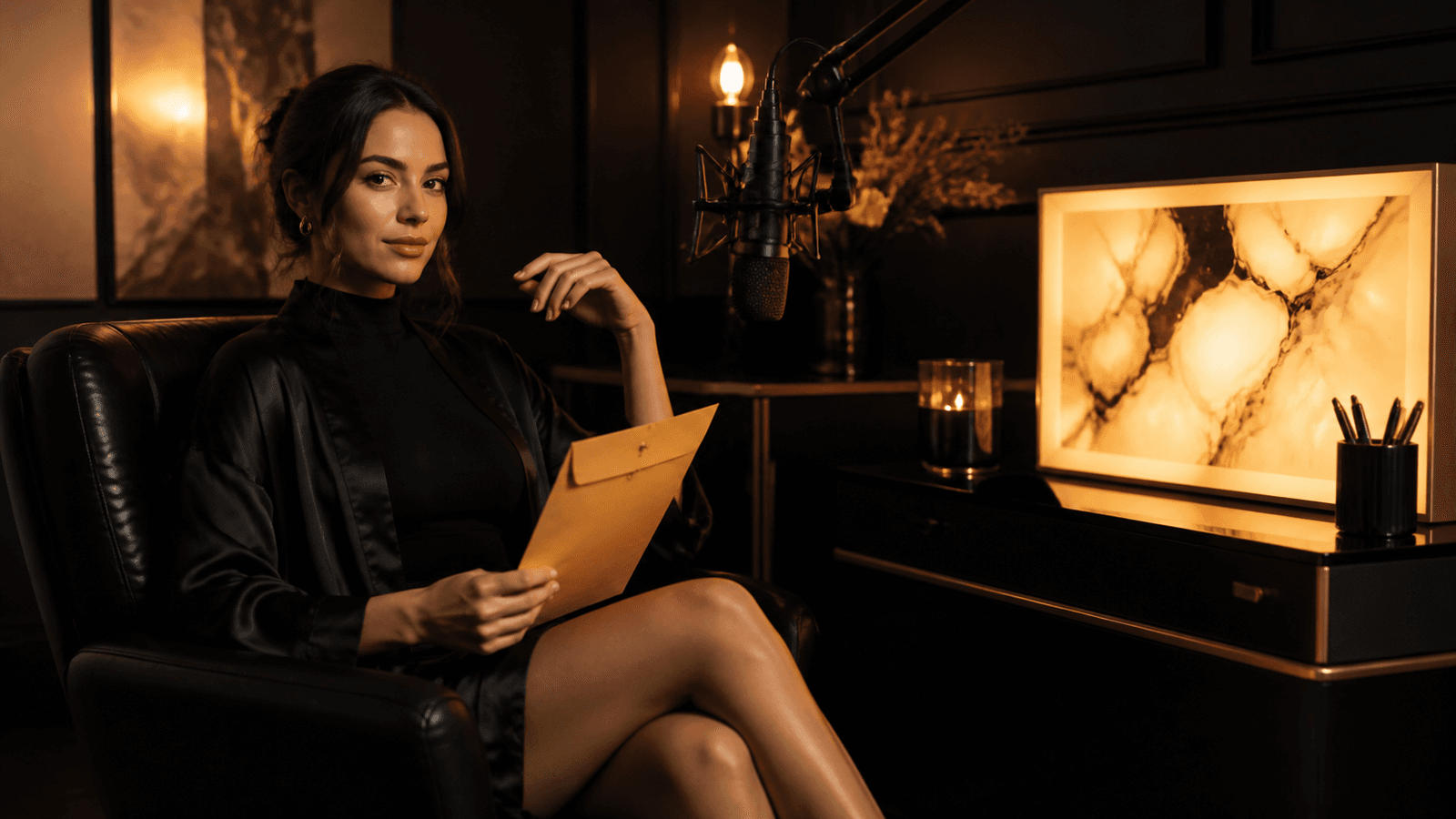
The top AI OnlyFans creators are pulling in $5,000 to $30,000 per month. Not with a camera, not with a ring light, and not by showing their own face. They're doing it with AI-generated characters that look real, post consistently, and reply to fans with personalized content.
This isn't some future prediction. It's happening right now. OnlyFans has over 4 million creators competing for attention, and AI creators have a structural advantage: they can produce content faster, cheaper, and without the burnout that kills most human creator accounts within 6 months.
| Value | Metric |
|---|---|
| $5K-$30K | Top AI Creator Revenue/mo |
| 4M+ | OnlyFans Creators |
| 70% | Quit Within 6 Months |
| 10x | AI Content Speed vs Manual |
If you've been thinking about this, here's the full playbook.
Why AI Creators Are Disrupting OnlyFans
OnlyFans has a churn problem. Most creators start strong, post for a few weeks, get overwhelmed by the content demands, and disappear. The platform rewards consistency above almost everything else -- daily posts, quick DM responses, regular PPV drops. That's exhausting for a human. It's trivial for an AI workflow.
Here's what gives AI OnlyFans creators the edge:
-
Unlimited content, zero fatigue. A human creator might shoot once a week and stretch that into daily posts. An AI creator can generate 50+ unique images and multiple videos in a single afternoon.
-
Perfect consistency without a studio. No lighting changes, no bad hair days, no "I don't feel like shooting today." Your AI character looks exactly how you designed them, every single time. This is where character consistency techniques become your most valuable skill.
-
Scalable personalization. Custom content requests are the biggest revenue driver on OnlyFans. With AI, you can fulfill a custom request in minutes instead of hours. Lip sync lets you send personalized video messages that feel intimate and exclusive.
-
Multiple characters, one operator. Nothing stops you from running 2, 3, or 5 AI creator accounts simultaneously. Each with a different persona, audience, and niche. Try doing that as a human creator.
The real economics
A mid-tier AI OnlyFans account with 200 subscribers at $14.99/month generates roughly $3,000/month before OnlyFans' 20% cut. Add PPV messages ($500-$2,000/month) and custom content tips ($300-$1,000/month), and you're looking at $2,800-$5,200 net. Your AI generation costs? Maybe $50-$150/month in credits. The margins are absurd.
How to Create an AI OnlyFans Character
The character is everything. Get this wrong and nothing else matters. Your AI persona needs to feel like a real person with a real personality -- not a generic AI-generated face.
Step 1: Define Your Niche and Persona
Pick a specific niche: fitness, cosplay, girl-next-door, luxury lifestyle, goth, alt. The more specific, the easier it is to attract a loyal audience. Give your character a name, age, backstory, hobbies, and personality traits.
Step 2: Generate Your Character's Face
Use an AI image generator to create your character's base look. Generate 20-30 variations and pick the one with the most distinctive, memorable features. This becomes your 'source face' for everything.
Step 3: Lock In Consistency with Face Swap
Apply face swap to every piece of content you create. This ensures your character looks identical across hundreds of images and videos -- the foundation of a believable creator profile.
Step 4: Build Your Content Library
Before launching, generate 50-100 images across different settings, outfits, and scenarios. You need at least 2 weeks of daily content ready before your first subscriber signs up.
Step 5: Set Up Your OnlyFans Profile
Write a bio that matches your persona's voice. Set subscription pricing ($9.99-$19.99 is the sweet spot for new accounts). Upload your best 10-15 images as the initial feed.
Step 6: Create Video Content for Differentiation
Most AI OnlyFans accounts only post images. Adding video immediately sets you apart. Generate lifestyle clips, talking-head content with lip sync, and short video messages for PPV.
Character Design Tips That Actually Matter
I've seen a lot of AI OnlyFans accounts fail because the character looks like it was generated in 30 seconds. Here's what separates accounts that convert from ones that don't:
-
Imperfections sell. A slight asymmetry, a unique smile, a distinctive feature. Overly perfect faces trigger the uncanny valley. Slightly imperfect faces feel real.
-
Pick a consistent aesthetic. If your character has warm, golden-hour lighting in their photos, keep that across everything. Mixing aesthetics makes it obvious it's AI. Our character consistency guide goes deep on how to maintain a unified visual identity across hundreds of generations.
-
Wardrobe matters. Real creators wear different outfits. Your AI character should too. Generate content with 10-15 different clothing styles to rotate through.
-
Settings tell a story. A bedroom, a coffee shop, a gym, a beach. Each setting reinforces the persona. Don't just generate headshots.
-
Study what works. Before launching, spend time looking at the top OnlyFans creators in your target niche. Note their posting patterns, the types of photos that get the most engagement, how they structure their bio, and how they interact with fans. Reverse-engineer what works and apply it to your AI character's strategy from day one.
Disclosure matters
OnlyFans updated their policies in late 2025. AI-generated content is permitted, but many creators choose to be transparent about it. Some audiences actually prefer AI creators -- they see it as a creative project, not a deception. Whatever approach you take, know the platform's current terms.
The Content Pipeline: Images, Videos, and Lip Sync
Running a profitable AI OnlyFans account is a content operation. You need a system, not a one-off workflow. Here's what the daily pipeline looks like for creators earning $5K+/month:
Daily Feed Content (Images)
Post 1-3 images per day to your main feed. This is what keeps subscribers engaged and reduces churn. Use a mix of:
- Lifestyle shots -- casual, relatable moments that build the "real person" illusion
- Themed content -- seasonal, trending, or niche-specific (cosplay, fitness, etc.)
- Behind-the-scenes style -- selfie angles, mirror shots, casual poses
The key to producing this volume without burning out is batch generation. Sit down once or twice a week and generate your entire week's content in one session. Use face swap to stamp your character's face onto every image, then organize them into a posting schedule. Two hours of focused generation can produce an entire week's worth of daily feed content.
Weekly Video Drops
Video is where you differentiate. Most AI OnlyFans accounts are image-only, which means video content immediately positions you as premium.
- 2-3 short clips per week for the main feed (5-15 seconds each)
- 1 longer video per week as PPV content ($5-$15 per unlock)
- Mix of lifestyle clips and talking-head content using lip sync
Custom Content and DMs
This is the money printer. Fans pay $20-$100+ for custom content, and with AI tools, you can fulfill requests in minutes:
- Custom images -- generate to the fan's specifications using detailed prompts
- Personalized video messages -- use lip sync to create a video of your character saying the fan's name or a custom message
- Voice notes -- pair AI-generated audio with your character's face for quick, intimate responses
The lip sync revenue hack
Creators who send personalized lip sync video messages in DMs report 3-5x higher tip rates compared to text-only responses. A 10-second video of your character saying "Hey [name], thanks for subscribing, you're amazing" costs almost nothing to generate but feels incredibly personal to the subscriber.
How MakeCorn Powers the Full Workflow
You can piece together 5 different tools to run an AI OnlyFans account. Or you can use one platform that handles the entire pipeline. Here's why MakeCorn is what most serious AI OnlyFans creators end up using:
Face Swap for Character Consistency
This is non-negotiable for an OnlyFans account. Every piece of content needs to feature the same character. MakeCorn's face swap takes your source face and applies it to any generated image or video. Your character looks identical whether she's at the beach, at the gym, or in a studio shoot.
Without face swap, every generation looks like a different person. That kills the illusion instantly.
10+ Video Generation Models
Different content needs different models:
- Kling v3.0 -- Fast, affordable, great for daily social clips and short OnlyFans videos
- Sora 2 -- Cinematic quality for premium PPV content that justifies higher price points
- Veo 3.1 -- Built-in audio generation, perfect for atmospheric lifestyle content
- Seedance 2.0 -- Strong motion realism for dance and movement content
Having multiple models means you're not stuck with one look or style. Variety keeps subscribers engaged.
Lip Sync for Personalized Messages
This is the feature that turns an AI OnlyFans account from a photo gallery into a relationship. Record or generate audio, and lip sync matches it to your character's face with natural mouth movements.
Use it for:
- Welcome messages for new subscribers
- Custom video responses to DMs
- PPV "personal" video drops
- Seasonal greetings and special occasion messages
Motion Control for Professional Video
Direct camera angles and character movement instead of getting random AI-generated motion. This is the difference between content that looks like an amateur AI experiment and content that looks like it was shot by a professional.
MakeCorn vs Piecing Together Multiple Tools
| Feature | MakeCorn | Piecing Together Multiple Tools |
|---|---|---|
| Character Consistency | Face swap built-in | Manual, inconsistent |
| Video Generation | 10+ models, one dashboard | Separate subscriptions each |
| Lip Sync | Integrated, same character | Requires export/import between tools |
| Cost | One credit system | $50-200/mo across multiple tools |
| Learning Curve | Single platform | 4-5 different interfaces |
| Content Speed | Minutes per piece | Hours per piece |
Revenue Potential and Monetization Strategies
Let's talk real numbers. AI OnlyFans accounts operate on a spectrum, and where you land depends on your content quality, posting consistency, and marketing effort.
| Value | Metric |
|---|---|
| $1K-$3K | Beginner (Month 2-3) |
| $3K-$8K | Intermediate (Month 4-6) |
| $8K-$20K | Advanced (Month 6-12) |
| $20K+ | Multi-Account Operators |
Subscription Revenue
The foundation. Price your subscription at $9.99-$14.99 when starting out. Lower prices reduce the barrier to entry and help you build subscriber count faster. Once you have 300+ subscribers and strong engagement, gradually increase to $14.99-$24.99.
Target: 200-500 subscribers within 3 months if you're marketing aggressively on social media.
Pay-Per-View (PPV) Messages
This is where the real money hides. Send exclusive content as locked messages that subscribers pay to unlock.
- Image PPV: $3-$10 per unlock
- Video PPV: $10-$25 per unlock
- "Special" content drops: $15-$50 per unlock
A well-timed PPV message to 300 subscribers with even a 15% unlock rate at $15 each generates $675 in a single send. The best operators send 2-3 PPV messages per week, each with different content and different price points. High-value video content generated with tools like Sora 2 or Kling v3.0 can consistently command the $15-$25 range because the production quality justifies the price.
Custom Content and Tips
Fans who feel a personal connection spend dramatically more. The AI advantage is that you can fulfill custom requests at scale:
- Charge $25-$75 for custom image sets
- Charge $50-$150 for custom video messages (lip sync)
- Enable tipping on all posts and messages
The economics here are wildly in your favor. A custom lip sync video that takes 5 minutes to generate and earns $75 works out to $900/hour effective rate. Even factoring in the time spent managing DM conversations and understanding what the fan wants, you're looking at $200-$400/hour for custom content work. This is why the highest-earning AI OnlyFans operators focus heavily on custom content as their primary revenue driver, not subscriptions.
Cross-Platform Funnels
Your OnlyFans doesn't exist in a vacuum. The biggest AI OnlyFans creators drive traffic from multiple platforms:
- Instagram -- Lifestyle and thirst-trap content, link in bio to OnlyFans
- TikTok -- Short, viral clips that tease the OnlyFans content. Check our TikTok monetization guide for specifics
- Twitter/X -- More explicit teaser content, direct links allowed
- Reddit -- Post in relevant subreddits (there are dozens of AI influencer communities)
For a deeper breakdown of all the ways to make money with AI influencers, including platforms beyond OnlyFans, check our dedicated monetization guide.
The multi-platform math
A single AI character posted across Instagram, TikTok, Twitter, and Reddit can drive 50-200 new OnlyFans subscribers per month with consistent effort. At $14.99/month with an average 3-month retention, each subscriber is worth roughly $45. That's $2,250-$9,000 in lifetime value from one month of marketing.
Tips for Growing Your AI OnlyFans Subscribers
Building the account is step one. Growing it is the actual game. Here's what works in 2026:
1. Post on Social Media Like It's Your Job
Because it is. AI OnlyFans creators who post 2-3 times daily across Instagram, TikTok, and Twitter grow 5x faster than those who only post on OnlyFans itself. Your OnlyFans is the monetization layer. Social media is the acquisition layer.
2. Engage in DMs Immediately
When a new subscriber joins, send a welcome message within the first hour. Use a lip sync video greeting with their name if possible. First impressions determine whether someone stays past month one.
3. Run Promotions Strategically
OnlyFans lets you offer discounted subscriptions. Run a 50% off promotion for the first month to hook new subscribers. Once they're in and seeing your content, retention rates jump significantly.
4. Create FOMO with Limited Content
"This PPV drops in 24 hours and won't be posted again." Scarcity drives action. Schedule exclusive content drops and give subscribers a reason to check in daily.
5. Build a Posting Calendar
Map out your week: Monday lifestyle images, Tuesday video drop, Wednesday custom content day, Thursday PPV send, Friday fan interaction, weekend bonus content. Consistency beats quality in the OnlyFans algorithm.
6. Collaborate with Other Creators
Even AI creators can "collab." Generate content featuring two AI characters together, cross-promote on each other's social accounts, and share audiences. This is one of the fastest subscriber acquisition tactics.
7. Repurpose Content Across Formats
A single AI-generated photoshoot can fuel your content pipeline for days. Take a high-quality image, turn it into a short video with motion, add lip sync for a personalized clip, and crop different versions for Instagram Stories, TikTok, and Twitter. One generation session, four platforms, a week of content. The operators who master this repurposing workflow are the ones who scale past $10K/month without working 60-hour weeks.
Best AI Models for OnlyFans Content
Not all AI models are created equal, and the model you choose for each piece of content directly affects how it performs with subscribers. Here's a breakdown of which models work best for each OnlyFans content type:
Image Models for Feed Content
| Model | Best For | Why It Works for OnlyFans |
|---|---|---|
| Nano Banana Pro | Daily feed images, lifestyle shots | Most photorealistic output. Subscribers can't tell it from a real photo. Best for the "casual selfie" aesthetic that drives engagement. |
| GPT Image 1 | Complex scenes, themed shoots | Handles multi-element compositions well. Great for "day at the beach" or "night out" scenarios with lots of environmental detail. |
| Qwen 2.0 Pro Edit | Outfit changes, post-editing | Edit after generation. Change the outfit, swap the background, adjust lighting. Perfect for fulfilling custom requests without regenerating from scratch. |
| Seedream | Rapid batch generation | Fastest model available. When you need 30 images for next week's content calendar, this is where you start. |
For a deep dive into all available image models, see our complete image model comparison.
Video Models for Premium Content
The choice of video model should match the content tier and price point:
-
Kling v3.0 for daily feed videos and quick clips. Fast generation, good quality, lowest credit cost. Use this for the 5-15 second lifestyle clips you post 2-3 times per week.
-
Sora 2 for premium PPV drops. The cinematic quality justifies $15-$25 unlock prices. Use this for your weekly premium video that makes subscribers feel like they're getting something special.
-
Veo 3.1 for atmospheric content with built-in audio. The ambient sound generation adds a layer of realism -- waves crashing on a beach scene, music in a nightclub setting -- that makes the content feel more immersive.
-
WAN 2.1 for unrestricted NSFW video content. This model has no content filters, making it the go-to for explicit video content that commands the highest PPV prices.
-
Seedance 2.0 for dance and movement content. Dance clips consistently rank among the highest-engagement content types on OnlyFans.
The smart approach is to use cheaper, faster models (Kling) for daily volume and premium models (Sora 2) for your highest-priced PPV drops. This keeps your credit costs manageable while maximizing the perceived value of your premium content.
The Model Stacking Strategy
Top AI OnlyFans operators don't use just one model per piece of content. They stack models:
- Generate the base video with Kling v3.0 or Sora 2
- Apply face swap to lock in character consistency
- Add lip sync for personalized messages or voiceovers
- Use motion control for directed camera movement on premium clips
Each layer adds production value. A basic AI-generated clip looks like AI. A clip with face swap, lip sync, and motion control looks like a professional shoot. The subscriber doesn't know (or care) about the technical pipeline. They just see content that looks premium and feels personal.
Common Mistakes That Kill AI OnlyFans Accounts
After watching hundreds of AI OnlyFans accounts launch, grow, and sometimes fail, here are the patterns that consistently separate winners from accounts that fizzle out within a month:
1. Launching Without a Content Backlog
The most common mistake. You create a character, post 5 images, set up the OnlyFans page, and wait. Nobody subscribes because there's nothing to subscribe to. A profile with 5 images screams "new and unproven."
The fix: Generate at least 50-100 images and 10+ videos before you open subscriptions. Your profile should look like it belongs to an established creator from day one. Batch-generate content using multiple models, apply face swap to everything, and build a two-week content calendar before your first post goes live.
2. Ignoring Character Consistency
Every image looks like a slightly different person. The eyes change color between posts. The face shape shifts. The hair length varies. Subscribers notice this immediately, and it destroys the illusion of a real creator.
The fix: Establish a single "source face" image and use face swap on every single piece of content, no exceptions. This is the one step you cannot skip. Character consistency is the entire foundation. Read our full consistency guide before generating a single post.
3. Only Posting Images
Image-only accounts are a commodity on OnlyFans. There are millions of them. Video is what makes subscribers feel like they're getting exclusive access to a real person. And lip sync takes it further -- a character who "speaks" directly to them creates emotional investment that static images never will.
The fix: Make video content at least 30% of your output from week one. Send personalized lip sync welcome messages to every new subscriber. Use video for your highest-priced PPV drops. The accounts earning $10K+/month all have video as a core part of their content mix.
4. Pricing Too High at Launch
Starting at $24.99/month with zero subscribers and zero social proof is a recipe for a dead account. Nobody pays premium prices for an unproven creator, AI or otherwise.
The fix: Launch at $9.99-$12.99 and run a 50% off first-month promotion. Build your subscriber count to 100-200 before raising prices. Once you have social proof (active subscribers, consistent engagement), incrementally increase to $14.99-$19.99. Let your PPV and custom content carry the higher price points.
5. Not Marketing Outside OnlyFans
OnlyFans has no discovery algorithm. Nobody finds your page by browsing the platform. 100% of your subscribers come from external marketing -- Instagram, TikTok, Twitter, Reddit.
The fix: Treat social media marketing as the actual job and OnlyFans as the cash register. Post 2-3 times daily across at least two platforms. Use teaser content that drives curiosity. Include your OnlyFans link everywhere. Our guide to going viral with AI content covers the marketing side in detail.
6. Neglecting DM Engagement
OnlyFans rewards accounts with high engagement metrics. Accounts that respond to DMs quickly, send regular messages, and maintain high fan interaction rates get promoted more in search results and recommendations.
The fix: Set aside 30-60 minutes daily for DM management. Use lip sync to send personalized video replies to high-spending fans. Respond to every new subscriber within 2 hours. The personal touch is what converts a $14.99/month subscriber into someone who spends $200/month on custom content and tips.
Scaling Beyond One Account
Once your first AI OnlyFans account is profitable and running smoothly, the natural next step is expansion. This is where AI creators have an unbeatable advantage over human creators -- you can run multiple distinct characters simultaneously.
The Multi-Account Playbook
Each account targets a different niche with a different character persona:
- Account 1: Fitness-focused character (gym content, workout clips, athletic aesthetic)
- Account 2: Girl-next-door persona (casual lifestyle, relatable content)
- Account 3: Alt/goth character (dark aesthetic, edgy content, cosplay crossover)
- Account 4: Luxury lifestyle (high-end settings, fashion-forward content)
Each character has its own consistent face (locked via face swap), its own posting schedule, and its own social media marketing channels. The audiences barely overlap, so you're not competing with yourself.
Time Management at Scale
Running 3-4 accounts sounds overwhelming, but the AI workflow makes it manageable. Here's a realistic weekly time budget for a 4-account operation:
| Task | Time Per Account | 4 Accounts Total |
|---|---|---|
| Content generation (batch) | 2 hours/week | 8 hours/week |
| Social media posting | 30 min/day | 14 hours/week |
| DM management | 30 min/day | 14 hours/week |
| PPV creation and scheduling | 1 hour/week | 4 hours/week |
| Total | ~10 hours/week | ~40 hours/week |
That's a full-time job, but it's a full-time job that can generate $15,000-$40,000/month across four accounts. The unit economics are extraordinary compared to almost any other online business model.
The scaling math
If each account generates $3,000-$8,000/month (a realistic range for well-run AI OnlyFans accounts), four accounts produce $12,000-$32,000/month. Your total AI generation costs across all four accounts might be $200-$400/month. That's a 98%+ profit margin before OnlyFans' 20% cut. Even after their cut, you're looking at $9,600-$25,600/month net.
FAQ
Is it legal to run an AI OnlyFans account?
Yes. There's no law against AI-generated content on OnlyFans. The platform permits it, and AI creator accounts are growing rapidly. Just make sure your content doesn't use anyone's real likeness without permission -- your AI character should be entirely original.
How much does it cost to get started?
Very little compared to traditional content creation. You need a MakeCorn account (credit-based, start with a starter plan for $20-$50/month in credits), an OnlyFans account (free to create, they take 20% of earnings), and social media accounts for marketing (free). Total startup cost: under $50.
Can OnlyFans detect AI-generated content?
OnlyFans does not currently have AI detection that blocks content uploads. The platform's focus is on verifying that account operators are real, legal adults -- not on how the content itself was produced.
How long does it take to become profitable?
Most AI OnlyFans creators hit profitability (covering their AI generation costs) within the first month. Reaching $1,000+/month typically takes 2-3 months of consistent posting and social media marketing. The $5,000+/month level usually requires 4-6 months of sustained effort.
What niche should I pick for my AI character?
Go specific. "Fitness model" is too broad. "Goth fitness girl who posts gym selfies and cosplay" is a niche. The more specific your character's identity, the easier it is to attract fans who feel a genuine connection. Look at what's underserved -- niches with demand but not many creators.
Do I need to disclose that my creator is AI?
This varies by jurisdiction and platform policy. Many successful AI creators are transparent about it and frame it as a creative project. Some audiences specifically seek out AI creators. Research your local laws and OnlyFans' current terms of service before deciding on your approach.
Can I run multiple AI OnlyFans accounts?
Yes, and this is one of the biggest advantages of AI content creation. Many operators run 2-5 accounts with different characters targeting different niches. Each account has its own audience and revenue stream. MakeCorn's face swap makes it easy to maintain distinct, consistent characters across multiple accounts.
What kind of content performs best?
Personalized content consistently outperforms generic posts. Custom video messages via lip sync, direct DM responses, and content that makes subscribers feel like they have a personal relationship with the character. After that, variety matters -- mix images, videos, and text posts to keep the feed dynamic.
How do I handle chargebacks and disputes?
Chargebacks happen on OnlyFans, especially with premium PPV content. Keep your pricing reasonable, deliver on what you promise, and maintain good communication with subscribers. OnlyFans handles the payment processing and dispute resolution, but accounts with excessive chargebacks can get flagged. The best prevention is setting clear expectations about what subscribers receive and consistently delivering quality content that matches or exceeds what was advertised.
Can I switch from a human OnlyFans account to AI?
Yes, though it's generally better to start a new account for your AI character rather than converting an existing one. Your existing subscribers signed up for one thing and may not appreciate the pivot. A fresh account with a clear AI creator identity from day one builds an audience that chose to be there. You can cross-promote from your existing account to bootstrap the new one's subscriber base.
Start Building Your AI OnlyFans Empire
The AI OnlyFans model works. The economics are proven, the tools are mature, and the market is growing. Every month you wait is a month of subscriber revenue you're leaving on the table.
The creators who started 6 months ago are the ones earning $10K-$20K/month now. The ones who start today will be in that position 6 months from now. The window for building an AI OnlyFans brand while the space is still relatively uncrowded won't stay open forever.
Get started with MakeCorn -- create your character, build your content library, and launch your first account this week.
Questions, answered
Frequently asked questions
What does AI OnlyFans mean?
It is a search term for virtual creator content in a subscription context, not a platform affiliation.
Can an AI creator be presented as human?
No. A virtual persona should be clearly described as virtual or AI-generated.
What should be checked before publishing?
Platform rules covering identity, age-gating, disclosures, payment, and allowed media.
Put the workflow into practice
Create original adult AI media with MakeCorn
Choose an image or video model, build a fictional adult character, and keep each generation under your control.
Try MakeCorn →Continue in Explore
Related adult AI niches
Jump into high-intent explore pages connected to this guide — styles, tools, and workflows ready to open in MakeCorn.
Porn Video Editor
A porn video editor powered by AI. Edit adult clips built from original characters — restyle, extend, re-light and lip-sync without filter blocks.
NSFW AI Generator
NSFW AI Generator on MakeCorn — original adult characters, uncensored AI images and video, and a simple workflow you can reuse.
AI Chat Porn
AI Chat Porn on MakeCorn — original adult characters, uncensored AI images and video, and a simple workflow you can reuse.
AI Cartoon Porn
AI Cartoon Porn on MakeCorn — original adult characters, uncensored AI images and video, and a simple workflow you can reuse.
AI Adult Content Generator
AI Adult Content Generator on MakeCorn — original adult characters, uncensored AI images and video, and a simple workflow you can reuse.
NSFW Video Maker
A NSFW video maker for original adult characters. Go from a prompt or a picture to a finished adult clip, then edit it without leaving the studio.
Keep reading
Related guides
AI creators
How to Create an AI Influencer
How to build a coherent virtual creator with a character brief, visual system, NSFW content pillars, and transparent publishing.
AI creators
What Is an AI Influencer?
A clear definition of AI influencers, how virtual personas are made for SFW and NSFW audiences, where they create value, and the standards that build trust.
Adult AI Creator Guides
AI Girlfriend Creator: Build a Consistent Virtual Character
Create an original AI girlfriend character with a repeatable visual system, personality brief, content pipeline, and launch plan.