
AI Video Face Swap: Consistency and Quality Guide
Create more consistent AI video face swaps by matching references, motion, lighting, camera angle, occlusion, and frame-by-frame review.
MakeCorn Editorial
Updated Aug 5, 2026 · Reviewed for responsible AI use
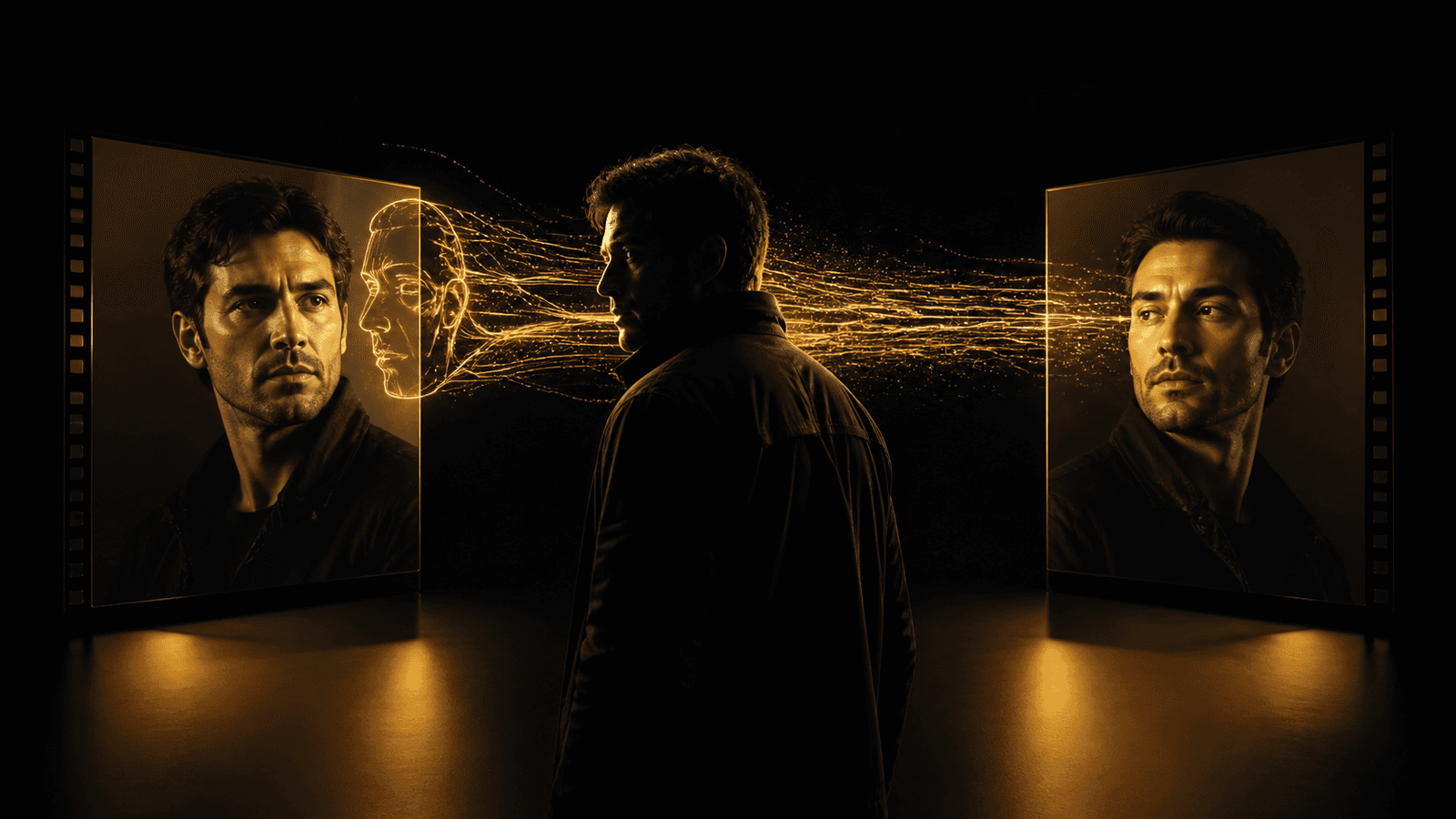
AI video face swap technology has transformed how creators produce content in 2026. Instead of filming yourself on camera, you can swap any face into any video -- placing your AI influencer into trending clips, dance videos, product showcases, and viral content in minutes. Whether you want a free video face swap for a quick social media post or a premium-quality face swap video for a brand campaign, modern AI makes it remarkably simple and realistic.
This guide covers everything you need to know about video face swapping -- the different methods available, step-by-step tutorials, how MakeCorn compares to other video face swap tools like Higgsfield and DeepSwap, and professional tips for getting the most realistic results possible.
| Value | Metric |
|---|---|
| 3 | Swap Methods |
| 30 sec | Max Video Length |
| 60 fps | Frame Analysis |
| 300K+ | Creators |
What Is Video Face Swap?
Video face swap is an AI-powered technique that replaces one person's face in a video with another person's face -- frame by frame -- while preserving the original motion, expressions, lighting, and body movement. Unlike a simple photo face swap where a single image is processed once, an AI face swap video must maintain temporal consistency across dozens or hundreds of frames to look natural.
Modern face swap video technology works through a multi-stage pipeline. The AI first detects facial landmarks in every frame of the source video, mapping the position, angle, and expression of the original face. It then analyzes the target face image to understand its structure, proportions, and features. Finally, it composites the target face onto each frame of the video, adjusting for lighting changes, head rotation, partial occlusion, and expression shifts to produce a seamless result.
What Makes Video Face Swap Different from Photo Face Swap
Video Face Swap vs Photo Face Swap
| Feature | Video Face Swap | Photo Face Swap |
|---|---|---|
| Processing | Frame-by-frame analysis | Single image pass |
| Complexity | Handles motion and expressions | Static replacement only |
| Temporal Consistency | Must maintain across all frames | Not applicable |
| Output | Full motion video with audio | Single still image |
| Use Cases | TikTok, Reels, YouTube content | Thumbnails, profile photos |
The key challenge in video face swapping is temporal consistency -- the swapped face must look identical and stable from one frame to the next. Even minor flickering or inconsistency between frames makes the result look obviously fake. This is why purpose-built AI video face swap tools produce dramatically better results than attempting to swap faces in individual frames manually.
The Technology Behind It
- Facial Landmark Detection — Maps 68+ facial landmarks in every frame to precisely track face position, rotation, and expression changes throughout the video.
- Face Encoding — Extracts a deep identity embedding from the source face that captures the unique features needed for consistent replacement.
- Temporal Smoothing — Ensures frame-to-frame consistency by analyzing adjacent frames and smoothing transitions to eliminate flickering artifacts.
- Lighting Adaptation — Automatically adjusts skin tone, shadows, and highlights to match the lighting conditions of each video frame.
- Expression Transfer — Maps the original person's expressions onto the swapped face so smiles, blinks, and lip movements look natural.
- Edge Blending — Seamlessly blends the boundary between the swapped face and the original body to eliminate visible seams or halos.
Video Face Swap Methods on MakeCorn
MakeCorn offers three distinct approaches to face swapping in videos, each optimized for different use cases and quality requirements. Understanding which method to use is the difference between a mediocre result and a viral-ready video.
Method 1: Direct Face Swap (Fastest)
Face Swap — Video Swap
- Swap a face directly into an existing video in seconds
- Upload one face image and one target video
- AI handles landmark mapping and expression matching automatically
- Preserves original audio, body movement, and background
- Credits: Varies by video length
Direct Face Swap is the fastest way to perform an AI face swap video. You upload a clear photo of the face you want to insert and the target video where you want it placed. The AI processes every frame, replacing the original face with yours while keeping everything else intact -- motion, expressions, audio, and background.
Best for: Quick social media content, testing face-video combinations, batch content production, face swap video online free workflows.
Limitations: Works best with front-facing or slight-angle faces. Extreme profile angles or heavy occlusion (hands covering the face, sunglasses) can reduce quality.
Method 2: Subject Swap (Full Character Replacement)
Subject Swap — Character Swap
- Replace the entire person in a video -- face, body, and appearance
- Preserves original motion, gestures, and scene dynamics
- Frame-by-frame analysis ensures temporal consistency
- Natural movement maintained throughout the output
- Credits: Varies by video length
Subject Swap goes beyond face-only replacement. It replaces the entire person in the video with your AI character, including face, body shape, skin tone, and overall appearance. The original person's motion, gestures, and interaction with the environment are preserved.
Best for: Complete character replacement, when the original body type or clothing does not match your character, viral dance video recreation, full-body content.
Difference from Face Swap: Face Swap replaces only the face region. Subject Swap replaces the entire person. Use Subject Swap when you need a complete character transformation, not just a face change.
Method 3: Motion Control Workflow (Highest Quality)
Motion Control + Pose Match — Premium Quality
- Create a pose-matched image first, then animate with Motion Control
- Highest quality output with minimal artifacts
- Full creative control over character appearance and starting pose
- Best identity preservation across all frames
- Credits: Image generation + video generation credits
The Motion Control workflow is a two-step process that produces the highest quality video face swap results available on any platform. Instead of directly swapping a face into existing footage, you first create a new image of your character matched to the starting pose of the reference video, then use Motion Control to animate that image with the reference video's motion.
Best for: Published content, brand collaborations, portfolio-quality work, any video where maximum realism matters.
For a deep dive into this technique, see the full Motion Control guide.
Step-by-Step: How to Face Swap a Video
This tutorial walks through the complete process for performing a free video face swap using MakeCorn's Direct Face Swap -- the fastest and most straightforward method.
Step 1: Create Your Account
Sign up at MakeCorn and choose a plan. Plans start at $29/month with credits for face swap video generation.
Step 2: Prepare Your Face Image
Use a clear, well-lit photo of the face you want to swap in. Front-facing or slight angle works best. Minimum 512x512 resolution. Avoid sunglasses, heavy shadows, or partial face coverage.
Step 3: Prepare Your Target Video
Select the video where you want to swap the face. Shorter clips (5-15 seconds) produce the best results. Ensure the person's face is clearly visible throughout. Stable lighting and minimal camera shake improve quality.
Step 4: Navigate to Video Gen
Open your dashboard and navigate to the Video Gen section. Select the Face Swap tool from the available video generation options.
Step 5: Upload Face and Video
Upload your face image as the source identity and your target video as the destination. The platform will automatically detect the face in both inputs.
Step 6: Generate Your Face Swap Video
Click Generate. The AI processes every frame of the video, mapping your face onto the original person. Processing time depends on video length -- typically 1-3 minutes for clips under 15 seconds.
Step 7: Review and Download
Preview the result directly in the platform. Check for identity consistency, natural expressions, and smooth transitions. If satisfied, download the video. If not, try a different face image angle or shorter clip.
Pro Tip: Source Image Quality Matters Most
The single biggest factor in face swap video quality is your source face image. Use the highest resolution, best-lit, clearest photo possible. A mediocre source image will produce mediocre results regardless of how good the target video is. If you are using an AI-generated character, generate a dedicated face swap source image at maximum resolution with neutral lighting and a slight smile.
For the Highest Quality: Motion Control Workflow
If Direct Face Swap does not meet your quality requirements, use the Motion Control workflow for superior results:
- Screenshot the first frame of your target video
- Open Image Generator and select Nano Banana Pro
- Upload two images -- your character as the first image, the first-frame screenshot as the second
- Prompt the model to place your character's identity into the pose and setting of the second image
- Navigate to Video Gen and select Motion Control
- Upload your pose-matched image as the Character Image and the original video as the Motion Video
- Generate -- Motion Control applies the exact motion from the reference video to your character
This produces the cleanest, most artifact-free results because the AI starts with a purpose-built matching frame rather than trying to composite on the fly.

Best Video Face Swap Tools 2026
The AI video face swap market has several competing tools. Here is how they compare for creators looking for the best face swap video online free experience.
MakeCorn vs Competitors
| Feature | MakeCorn | Competitors |
|---|---|---|
| Direct Face Swap | yes | yes |
| Subject Swap (Full Body) | yes | no |
| Motion Control Workflow | yes | no |
| AI Character Creation | yes | no |
| Video + Image Suite | yes | no |
| Max Video Length | 30 seconds | Varies (5-15s typical) |
| Lip Sync Integration | yes | no |
| API Credits System | yes | Subscription only |
| Starting Price | $29/mo | $19.99/mo |
Video Face Swap Tool Comparison
| Tool | Face Swap | Full Body Swap | Max Length | Quality | Starting Price |
|---|---|---|---|---|---|
| MakeCorn | Yes | Yes (Subject Swap) | 30 seconds | Highest | $29/mo |
| Higgsfield | Yes | No | 15 seconds | High | $19.99/mo |
| DeepSwap | Yes | No | 10 seconds | Medium | $9.99/mo |
| Reface | Yes | No | 15 seconds | Medium-High | Free w/ watermark |
| FaceSwapper.ai | Yes | No | 10 seconds | Medium | Limited |
Why MakeCorn Leads for Video Face Swap
Most dedicated face swap tools offer only one thing -- basic face replacement. MakeCorn provides a complete content creation ecosystem. You can generate your AI character from scratch, create face swap videos, produce full Motion Control dance content, add Lip Sync talking head videos, and manage everything from a single dashboard. This means you are not just swapping faces -- you are building an entire AI content pipeline.
The Motion Control workflow in particular is unique to MakeCorn. No other platform offers the ability to pose-match an AI character to a video's first frame and then animate with motion transfer, which consistently produces the highest quality video face swaps available anywhere.
Free Video Face Swap vs Premium
Many creators search for a free face swap video solution. Here is what you can expect at different tiers.
- Starter Plan — Plans start at $29/month with credits for face swap video generation. No watermarks on output. Full quality on every plan.
- Premium Plans — Paid plans unlock higher credit volumes for batch production, access to all video models including Sora 2 and Veo 3, priority processing, and longer video durations.
Unlike many free video face swap tools that add watermarks, reduce resolution, or limit video length to 3 seconds, MakeCorn delivers full-quality output on every plan. The difference between plans is the number of credits -- not the output quality.
Cost-Effective Content Production
A single face swap video on MakeCorn costs a fraction of what you would pay for a dedicated face swap subscription elsewhere. Creators who produce 20-30 face swap videos per month typically spend less than $10, making it one of the most affordable video face swap solutions available.

Tips for Realistic Video Face Swaps
The difference between an obvious fake and a convincing AI video face swap comes down to preparation and technique.
Lighting Consistency
Match the lighting between your source face image and the target video. If the target video has warm indoor lighting, use a source face image with similar warm tones. A cold-lit face swapped into a warm-lit scene creates an immediate visual disconnect that makes the swap obvious.
Face Angle Matching
Face swap AI works best when the source face angle is similar to the predominant angle in the target video. If the person in the video is mostly facing the camera, use a front-facing source image. If they frequently turn to the side, having a three-quarter angle source image produces better results on those frames.
Resolution and Clarity
Always use the highest resolution source face image available. Upscale your image to at least 1024x1024 before using it as a swap source. Low-resolution source faces produce blurry, artifact-heavy results regardless of the target video quality.
Optimal Clip Length
Shorter clips produce more consistent results. For your first face swap videos, start with 5-10 second clips and work up to longer durations as you learn what works. Clips over 20 seconds may show slight identity drift in later frames -- this is normal and can be mitigated by using the Motion Control workflow instead.
Skin Tone and Ethnicity
Face swap AI adapts to different skin tones, but results are most natural when the source and target have somewhat similar complexion. Large differences can be handled but may require the AI to do more adaptation work, which can introduce subtle artifacts around the jaw and neck boundary.
The Golden Rule of Face Swap
When in doubt, improve your source image. Ninety percent of face swap quality issues trace back to the source face -- not the target video. Invest time in getting a perfect source image and the rest follows naturally.
Video Face Swap for Content Creators
AI face swap video technology has become a core tool for social media creators across every platform. Here is how to leverage it effectively.
TikTok Face Swap Content
TikTok's algorithm rewards high-frequency posting and trend participation. With video face swap AI, you can insert your AI influencer into trending clips within hours of them going viral. This is one of the fastest paths to growing a TikTok following -- your character appears in every major trend without you ever stepping in front of a camera.
Workflow: Find trending video, download it, face swap your character in, add the trending audio, post. Total time: 10-15 minutes per video.
Instagram Reels
Instagram Reels favor polished, aesthetic content. Use the Motion Control workflow for higher-quality face swap videos that match Instagram's visual standards. Pair your face swap videos with matching AI-generated still images for carousel posts.
YouTube Shorts and Long-Form
For YouTube Shorts, Direct Face Swap provides quick content. For long-form YouTube content, combine face swap with Lip Sync -- swap your character's face into a video for visual segments, then use Lip Sync for talking head segments where your character directly addresses the audience.
Monetization with Face Swap Content
Face swap video content opens multiple revenue streams. Build a following with consistent AI character content, then monetize through brand deals, affiliate marketing, platform ad revenue, and fan subscriptions. Creators who combine face swap videos with other AI video tools on MakeCorn report the highest engagement rates and revenue. For detailed monetization strategies, read our make money with AI influencers guide.
Ethics and Consent Guidelines
Critical Ethical Guidelines for Video Face Swap
Never swap a real person's face into a video without their explicit written consent. Never create non-consensual, deceptive, defamatory, or harmful content. Always disclose AI use when publishing face-swapped content. Follow all platform terms of service and local laws regarding AI-generated media. Deepfake laws are expanding globally -- stay informed about regulations in your jurisdiction.
MakeCorn is designed primarily for use with AI-generated characters that you create and own. Using face swap with your own AI influencer eliminates the most significant ethical concerns because you are working with fictional personas -- not real people's likenesses. This approach lets you produce unlimited face swap content without consent issues.
If you do use face swap with a real person's likeness (such as your own face), ensure you have full rights to use that likeness and are not violating any platform policies or laws.

Troubleshooting Common Issues
Face Flickering Between Frames
Flickering occurs when the AI loses track of the face in certain frames. Fix: Use a clearer source image, ensure the target video has consistent lighting, try a shorter clip, or switch to the Motion Control workflow which handles temporal consistency more robustly.
Face Misalignment or Drift
The swapped face drifts away from the correct position during fast head movements. Fix: Use target videos where the person moves their head more slowly and deliberately. Avoid clips with rapid head turns, whiplash movements, or extreme angles.
Skin Tone Mismatch at Boundaries
A visible line appears where the swapped face meets the original neck or jawline. Fix: Ensure your source face image has similar skin tone to the original video subject. If you are using an AI-generated character, generate the source image with a skin tone that matches the target video.
Low Resolution Output
The face swap looks blurry compared to the rest of the video. Fix: Upscale your source face image before using it. Use images at least 1024x1024 pixels. If using an AI-generated face, generate at the maximum available resolution.
Face Swap Fails on Certain Frames
The swap drops out when the face is partially hidden. Fix: This is expected behavior when the face is heavily occluded (hands covering face, looking straight down, or turning fully away from camera). Choose target videos where the face remains visible throughout for the most consistent results.
For general image-based face swap troubleshooting, see our AI body swap guide.
Frequently Asked Questions
How much does video face swap cost?
MakeCorn plans start at $29/month and include credits for video face swap generation. The output has no watermarks and is full quality on every plan.
What is the best AI video face swap app in 2026?
MakeCorn offers the most comprehensive video face swap solution in 2026, with three distinct methods (Direct Face Swap, Subject Swap, and Motion Control workflow), integration with a full AI content creation suite, and no watermarks on any output. For a feature comparison, see the comparison table above.
Can I face swap a video without a watermark?
Yes. All video output from MakeCorn -- including face swap, Subject Swap, and Motion Control -- is delivered without watermarks on every plan. Many competing tools add watermarks to lower-tier output.
How long can a face swap video be?
On MakeCorn, Direct Face Swap and Subject Swap support videos up to approximately 30 seconds. The Motion Control workflow also supports up to 30 seconds. For longer content, generate multiple clips and combine them in a video editor like CapCut or DaVinci Resolve, or use Lip Sync for talking head videos up to 10 minutes.
Is AI video face swap legal?
Using face swap with AI-generated characters you created is legal in virtually all jurisdictions. Using face swap with real people's likenesses requires their consent and may be subject to deepfake laws that vary by country and state. Never create non-consensual content, and always disclose AI use when publishing.
Does video face swap preserve the audio?
Yes. Direct Face Swap preserves the original video's audio track. Subject Swap also maintains the original audio. Motion Control generates video without audio, so you add audio in post-production.
What video formats does face swap support?
MakeCorn accepts .mp4, .mov, and .webm video formats for face swap input. Output is delivered as .mp4. For best results, use input videos encoded in H.264 with stable frame rates.
Can I face swap multiple people in one video?
Currently, face swap is optimized for single-person videos. Videos with multiple people may have inconsistent results. For multi-person scenarios, use the AI video generation guide to explore alternative approaches.

Start Swapping Faces in Videos Today
AI video face swap has moved from experimental technology to a mainstream content creation tool. With MakeCorn, you have three powerful methods to choose from -- each suited for different quality needs and workflows.
- Direct Face Swap — Fastest method. Upload a face and a video, get results in minutes. Perfect for quick social media content.
- Subject Swap — Full character replacement in video. Swaps the entire person, not just the face, for complete creative control.
- Motion Control — Highest quality. Pose-match your character first, then animate with reference video motion for artifact-free results.
Whether you are creating your first face swap video online free or producing premium content for brand partnerships, MakeCorn gives you professional-grade video face swap tools without the professional-grade price tag.
Start Your Free Video Face Swap on MakeCorn -- create your account and swap your first face in minutes.
New to MakeCorn? Start with our getting started guide for a complete walkthrough. Already familiar with image face swaps? See our AI body swap guide for photo-based swapping, or explore the full AI video generation guide for all video creation tools.
Questions, answered
Frequently asked questions
What makes an AI video face swap believable?
The reference and target need compatible angles, expressions, lighting, resolution, and motion. Temporal stability matters as much as a good first frame.
Why does a swapped face flicker?
Fast movement, occlusion, motion blur, profile angles, and inconsistent reference coverage can cause the identity to change between frames.
How should a video face swap be reviewed?
Watch at normal speed, then inspect cuts, profile turns, hand-to-face contact, hair crossings, and representative frames throughout the clip.
Put the workflow into practice
Create original adult AI media with MakeCorn
Choose an image or video model, build a fictional adult character, and keep each generation under your control.
Try MakeCorn →Continue in Explore
Related adult AI niches
Jump into high-intent explore pages connected to this guide — styles, tools, and workflows ready to open in MakeCorn.
AI Porn Video
AI Porn Video on MakeCorn — original adult characters, uncensored AI images and video, and a simple workflow you can reuse.
AI Face Swap NSFW
AI Face Swap NSFW on MakeCorn — original adult characters, uncensored AI images and video, and a simple workflow you can reuse.
AI NSFW Video Generator
AI NSFW Video Generator on MakeCorn — original adult characters, uncensored AI images and video, and a simple workflow you can reuse.
AI Hentai Video
AI Hentai Video on MakeCorn — original adult characters, uncensored AI images and video, and a simple workflow you can reuse.
AI Sex Video
AI Sex Video on MakeCorn — original adult characters, uncensored AI images and video, and a simple workflow you can reuse.
AI Interracial Video
AI Interracial Video on MakeCorn — original adult characters, uncensored AI images and video, and a simple workflow you can reuse.
Keep reading
Related guides
Adult AI Creator Guides
Face Swap AI: Reference, Lighting, and Review Guide
A practical face-swap AI workflow for original or permissioned adult characters, covering reference selection, blending, identity, and quality control.
Adult AI Creator Guides
AI Body Swap: A Controlled Creator Workflow
Learn how to plan, generate, and review AI body-swap scenes while preserving character identity, perspective, lighting, and composition.
Adult AI Creator Guides
AI Chat Porn: How to Build Adult AI Companions That Look and Feel Consistent
A practical guide to AI chat porn in 2026 — character design, matching images, chat setup, privacy, quality control, and how to create on MakeCorn without random one-off faces.