
Undress AI Alternative: What Adult Creators Should Compare
Looking for a Undress AI alternative? Compare the actual job, visual consistency, exports, privacy, editing, video, and creator workflow before switching.
MakeCorn Editorial
Updated Aug 5, 2026 · Reviewed for responsible AI use
Undress AI tools had a moment. They offered a simple premise — upload a photo, let the AI remove clothing, get results in seconds. But that moment is passing. In 2026, creators who want to build something real with AI are moving away from photo manipulation entirely and toward platforms that generate original content from scratch.
If you're searching for an undress AI alternative, you're probably already sensing this shift. Maybe you're concerned about the ethics. Maybe you've hit quality limits. Maybe you realize that editing someone else's photo isn't a foundation for a real content business. Whatever brought you here, this guide covers what the alternatives look like, which platform gives you the most creative power, and how to build a real workflow around original AI content creation.
| Value | Metric |
|---|---|
| 10+ | AI Models Available |
| 4 | Video Pipelines |
| 100% | Original Content |
| $0 | Legal Risk |
What Is Undress AI?
"Undress AI" is a category of tools — not a single product — that use artificial intelligence to digitally remove clothing from photos of real people. You upload an existing image, the AI processes it, and it generates a modified version. The technology relies on generative AI models trained to predict and render what's beneath clothing. Some people also search for "deepnude alternative" when looking for these tools — the terminology varies, but the underlying technology and problems are the same.
Here's what these tools have in common:
- They require existing photos. You can't create anything original. Every output is a modification of someone else's image.
- They produce static images only. No video, no animation, no audio. The output is a single edited photo.
- They have no character system. There's no way to build a consistent persona or brand. Every edit is isolated.
- They raise serious ethical and legal concerns. Modifying real people's photos without consent is legally questionable in many jurisdictions and ethically problematic everywhere.
The technology itself isn't inherently different from other AI image generation — it's the application that creates problems. And those problems are exactly why people start looking for alternatives.
Why People Look for Undress AI Alternatives
The reasons fall into a few distinct categories, and they're worth understanding because they point to what a real alternative should actually offer.
Ethical Concerns
This is the biggest one. Undress AI tools and deepnude alternatives modify photos of real people — often without those people's knowledge or consent. In 2026, multiple jurisdictions have enacted or strengthened laws against non-consensual AI-generated intimate imagery. The UK's Online Safety Act, the EU AI Act, and a growing number of US state laws now explicitly criminalize the creation and distribution of non-consensual deepfake intimate images. Using these tools can carry real legal risk, and the ethical issues are obvious regardless of the legal landscape.
A genuine undress AI alternative should let you create NSFW content without involving real people's likenesses at all. That's the line. If a tool still requires you to upload someone else's photo, it's not solving the problem — it's repackaging it.
Quality and Realism Limitations
Undress AI tools typically produce artifacts — mismatched skin tones, distorted anatomy, blurred areas where the AI struggled. The results look obviously edited. Lighting doesn't match between the original photo and the generated areas. Skin texture breaks down at edges. Body proportions warp. For anyone trying to produce professional-quality content, these limitations are a dead end.
The reason is straightforward: these tools are performing inpainting on a constrained region of an existing image. They don't have the context of a full scene, they can't control lighting across the whole frame, and they're fighting against the original image data rather than generating from a coherent whole. A model that generates an entire image from scratch doesn't have these constraints.
No Path to Monetization
Edited photos of real people can't be legally monetized on most platforms. OnlyFans, Fanvue, and social media platforms have policies against non-consensual content. Even if the image quality were perfect, you can't build a business on content that violates platform terms of service. Any account built on manipulated photos of real people is one report away from permanent suspension.
Limited Creative Control
You're locked into whatever the source photo gives you. You can't change the setting, the pose, the lighting, or the scenario. You're editing, not creating. That's a fundamental limitation on what you can produce. Want your subject in a different location? A different angle? A completely different scenario? You need a different source photo. And even then, the output is limited to a single static image.
The legal landscape is closing in
As of 2026, at least 40 US states have introduced or passed legislation targeting non-consensual AI-generated intimate imagery. Federal legislation is advancing. The EU AI Act classifies deepfake generation as high-risk. Building any content workflow around photo manipulation tools means building on a foundation that's actively being dismantled by lawmakers worldwide.
What a real alternative looks like
The best undress AI alternative should: (1) generate entirely original content without modifying real people's photos, (2) support both images and video, (3) give you full creative control over characters and scenes, and (4) produce content you can legally and ethically monetize. Anything less is just a different version of the same problem.
The Ethical Difference That Matters
This deserves its own section because it's not just a feature comparison — it's a fundamental shift in how AI content works. And for anyone searching for a deepnude alternative or undress AI alternative, understanding this distinction is critical.
The Consent Problem
Undress AI tools take a real person's photo and create intimate imagery of them without consent. It doesn't matter if the photo is of a celebrity, a coworker, a stranger from social media, or someone you know personally. The person in the photo didn't agree to have intimate images of them generated. That's the core ethical violation, and no amount of technical improvement changes it.
The harm is real and documented. Victims of non-consensual deepfake imagery report psychological effects comparable to those experienced by revenge porn victims — anxiety, depression, social withdrawal, and lasting damage to personal and professional relationships. Multiple studies published between 2024 and 2026 have established this link clearly.
The Legal Reality
Regardless of your personal stance, the direction of regulation is clear: this kind of content creation is becoming illegal in more places every year. Building a workflow around it means building on a foundation that's actively being dismantled by lawmakers. Here's a snapshot of the 2026 legal landscape:
- United States: Over 40 states have introduced or enacted laws targeting non-consensual AI-generated intimate imagery. Federal legislation is advancing through Congress.
- European Union: The EU AI Act classifies deepfake generation tools as high-risk AI systems, requiring transparency obligations and user consent verification.
- United Kingdom: The Online Safety Act makes sharing non-consensual intimate deepfakes a criminal offense, with penalties up to two years imprisonment.
- Australia, Canada, South Korea, Japan: All have enacted or strengthened existing laws to cover AI-generated intimate imagery.
The Original Content Solution
MakeCorn generates entirely original AI characters. No real person's likeness is used. No consent issues arise. The content you create is yours — you designed the character, you prompted the generation, you own the output. This isn't just ethically cleaner; it's practically more sustainable. You can post this content on social media, monetize it on subscription platforms, and build a brand without worrying about takedowns, legal action, or platform bans.
The distinction matters at a technical level too. When you generate a character from scratch with a text-to-image model, the output is a novel image that doesn't derive from any individual's likeness. It's the same as an artist creating a fictional character — the character exists only in the work you created. That's a fundamentally different act from taking someone's real photo and generating intimate imagery of them.
Future-proof your workflow
Platforms like OnlyFans, Instagram, and TikTok are increasingly enforcing policies against non-consensual AI imagery. Content created with MakeCorn — original characters, no real people — complies with these policies by design. Your content library stays safe as enforcement tightens.
The Best Undress AI Alternative: MakeCorn
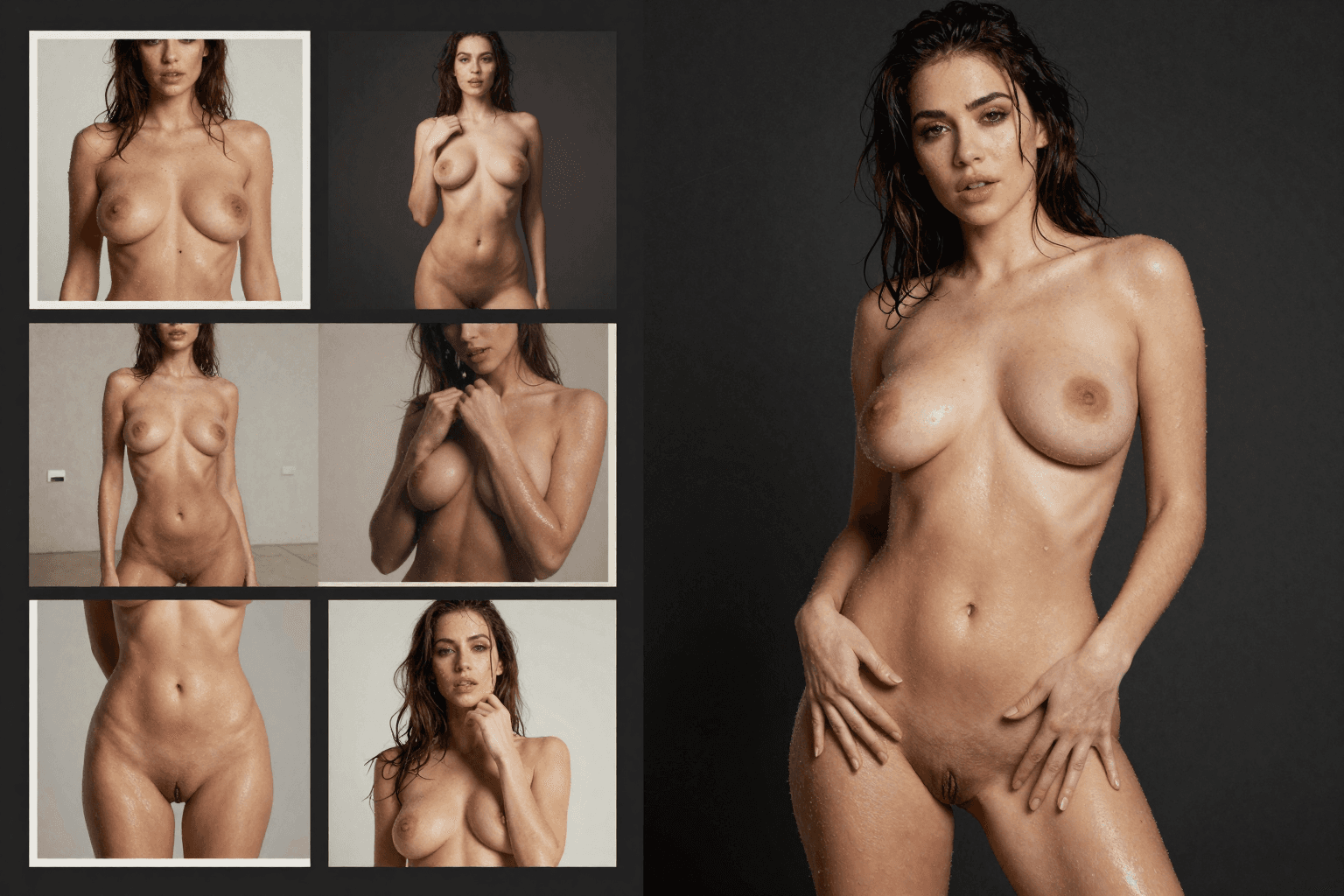
MakeCorn takes a fundamentally different approach. Instead of modifying photos of real people, you create entirely original AI characters from scratch and generate images and videos of those characters. No real people involved. No consent issues. No legal gray areas.
And the creative capabilities go far beyond anything an undress AI tool can offer.
Original Character Creation
This is the core difference. You design your own AI character with full control over appearance — body type, ethnicity, hair, facial features, clothing, style, and personality. The character is entirely AI-generated. It doesn't represent a real person. It's your original creation, and you own the output.
This means you can create exactly the content you envision without being limited by a source photo. Want a specific look, a specific setting, a specific scenario? You build it from scratch. Want to change the character's outfit, location, or mood? Just update the prompt. You're not constrained by what already exists in a photo — you're creating something new every time.
For a complete walkthrough of the character creation process, see our getting started guide. For advanced tips on keeping your character looking identical across hundreds of generations, see the character consistency guide.
10+ AI Image Generation Models
Where undress AI tools give you one pipeline (upload and edit), MakeCorn gives you access to over 10 state-of-the-art image generation models:
- Nano Banana Pro — The most photorealistic AI-generated humans available. Results that are routinely mistaken for real photography. This is what most creators start with.
- GPT Image 1 — OpenAI's model, excellent for creative and artistic compositions with strong scene understanding.
- Qwen 2.0 Pro Edit — Precision editing and refinement of existing generations. Change an outfit, swap a background, adjust a pose — without regenerating the whole image.
- Seedream — Versatile model for diverse content styles and scenarios with fast generation times.
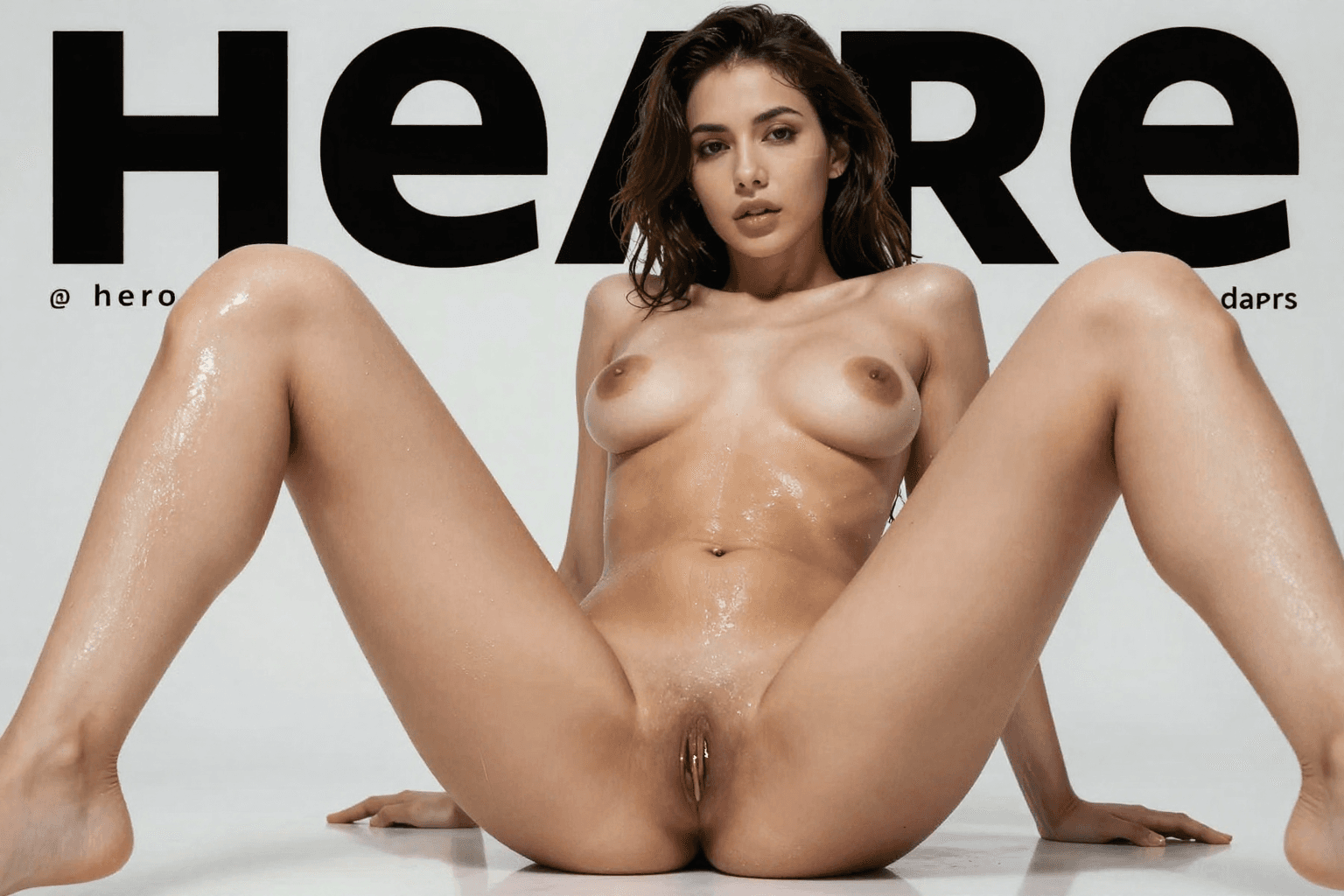
Every image is generated fresh — not modified from someone else's photo. Full NSFW support is built in. For a complete breakdown of all available models and when to use each one, see our AI girl generator guide.
AI Video Generation
Undress AI tools produce static images. MakeCorn produces video. This is where the comparison stops being close. Four distinct video generation pipelines give you options no photo editing tool can match:
- Sora 2 — OpenAI's cinematic video model for narrative-quality clips with exceptional motion realism.
- Kling v3.0 — Industry-leading motion realism with fast generation times. The best starting point for most creators.
- Veo 3.1 — Google's model with native audio generation built in — your character can speak with generated dialogue.
- Seedance 2.0 — Strong motion quality with efficient credit usage, great for high-volume content production.
Your AI character can move, act, and appear in dynamic video content. In 2026, video drives 3-5x more engagement than static images on every major platform. If your content can't move, you're already behind.
Face Swap for Consistency
Face swap lets you take your character's face and apply it to any generated video. Every piece of content features the same recognizable person. This is what transforms scattered AI generations into a coherent brand — your character looks the same in every photo and every video, building audience recognition over time.
The workflow is simple: generate a video with any model, then run face swap to replace the face with your character's established look. The result is a video that maintains your character's exact features — same eyes, same bone structure, same expression style — regardless of which video model or prompt you used.
Lip Sync for Talking Content
Record or generate audio, and lip sync matches it to your character's face with natural mouth movement. This unlocks content formats that are completely impossible with undress AI tools:
- Product reviews and unboxing videos
- TikTok talking-head clips
- YouTube commentary and narration
- Sponsorship and brand deal content
- Tutorial and educational content
- Personalized fan messages
MakeCorn supports lip sync clips up to 10 minutes — enough for full YouTube videos, not just short clips.
Motion Control
Direct your character's movement and camera angles with trajectory-based controls. Choreograph where the character walks, where the camera pans, how the scene unfolds. This is the difference between AI content that looks random and content that looks like it was directed by a professional.
Head-to-Head Feature Comparison
Here's the detailed side-by-side breakdown. This covers every feature category that matters for content creation, organized by what each approach can actually deliver:
MakeCorn vs Undress AI Tools
| Feature | MakeCorn | Undress AI Tools |
|---|---|---|
| Original Content Creation | Yes, fully original characters | No, modifies existing photos |
| Ethical & Legal Standing | Clean — no real people involved | Legally risky, ethically problematic |
| AI Image Generation | 10+ models, text-to-image | No (editing only) |
| AI Video Generation | Yes, 4 pipelines (Sora 2, Kling, Veo, Seedance) | No |
| Face Swap | Yes, built-in | No |
| Lip Sync | Yes, up to 10 minutes | No |
| Motion Control | Yes, camera + character | No |
| Character Consistency | Excellent, full character system | None |
| NSFW Support | Full (images + video) | Images only (editing) |
| Monetization Potential | Full pipeline, platform-compliant | Limited, policy violations likely |
| Image Quality | Photorealistic, multi-model | Artifacts, mismatched tones |
| Creative Control | Unlimited — any scenario from scratch | Locked to source photo |
| Output Formats | Images, video, talking-head clips, audio | Single static image |
| Batch Production | Yes, scale to hundreds per day | One-at-a-time editing |
| Platform Compliance | Fully compliant by design | Violates most platform ToS |
Detailed Category Breakdown
| Category | MakeCorn | Undress AI / Deepnude Tools | Why It Matters |
|---|---|---|---|
| Content Origin | Generated from scratch via text prompts | Modified from uploaded photos | Original content has zero legal liability |
| Image Models | 10+ (Nano Banana Pro, GPT Image, Qwen, Seedream) | Single inpainting pipeline | Model variety = style variety |
| Video Capability | Sora 2, Kling v3.0, Veo 3.1, Seedance 2.0 | None | Video drives 3-5x more engagement |
| Character System | Persistent characters with face lock | No character concept | Consistency builds audience |
| Face Swap | Built-in, works across all video models | Not available | Same face in every video |
| Lip Sync | Up to 10 minutes, phoneme-accurate | Not available | Unlocks talking-head content |
| Motion Control | Camera paths + character trajectories | Not available | Professional-looking direction |
| NSFW Support | Full — images and video | Images only (edited) | Video NSFW is the growth market |
| Monetization | OnlyFans, Fanvue, YouTube, TikTok, Instagram | Risky on all platforms | You need platform compliance to earn |
| Content Volume | Hundreds of pieces per day possible | One edit at a time | Scale determines income |
| Learning Curve | Single platform, guided workflow | Simple but limited | Easy doesn't matter if the tool can't do what you need |
Feature Comparison: Undress AI Alternatives at a Glance
If you're evaluating multiple platforms beyond just MakeCorn, here's how every major alternative in the space stacks up:
| Feature | MakeCorn | SoulGen | Seduced AI | Promptchan AI | Undress AI Tools |
|---|---|---|---|---|---|
| Original Character Creation | Full system | Basic | Basic | Basic | No |
| Image Generation | 10+ models | 1 model | 1 model | 1 model | No (editing only) |
| Video Generation | 4 pipelines | No | No | No | No |
| Face Swap | Yes | No | No | No | No |
| Lip Sync | Up to 10 min | No | No | No | No |
| Character Consistency | Excellent | Low | Low | Low | None |
| NSFW Support | Full | Full | Full | Full | Full |
| Ethical Standing | Original content | Original content | Original content | Original content | Modifies real photos |
| Monetization | Full pipeline | None | None | None | Risky |
SoulGen, Seduced AI, and Promptchan AI all generate original content (which makes them ethically sound), but none of them offer video, face swap, lip sync, or a character consistency system. They're single-feature tools. MakeCorn is the full production platform.
Real Creator Workflow: From Zero to Revenue in 90 Days
To make this concrete, here's what a real creator workflow looks like after switching from undress AI tools to MakeCorn. This isn't theoretical — it's based on patterns we see from creators who make the transition.
Week 1-2: Character Design and Content Backlog
Start by designing your AI character using Nano Banana Pro. Spend time getting the look right — this face will appear across everything you create, so it's worth investing a few dozen generations to nail the appearance. Use the character consistency guide to lock in a reference face you're happy with.
Then generate 80-100 images across different settings. Indoor lifestyle shots, outdoor content, different outfits, different moods, different times of day. This becomes your launch backlog — the content you'll draw from during your first weeks of posting while you ramp up production.
Output target: 80+ images, 1 locked character reference face.
Week 3-4: Launch Social Presence and First Videos
Start posting 2-3 images daily on Instagram and Twitter/X. Simultaneously, generate your first batch of video content using Kling v3.0 (fastest turnaround, most cost-effective). Apply face swap to every video so your character looks identical to the images you've been posting.
Post short-form videos to TikTok and YouTube Shorts. The goal here is consistency — your audience should see the same face in photos and videos, recognizing your character immediately.
Output target: 40+ social posts, 10+ short-form videos, growing follower base.
Month 2: Add Voice and Monetize
This is where you pull ahead of anything an undress AI workflow could ever produce. Add lip sync content — create product reviews, commentary videos, "day in the life" talking-head clips. Record audio yourself or use text-to-speech, and lip sync matches it to your character's face.
Set up an OnlyFans or Fanvue page for premium content. Start reaching out to brands for sponsorship deals. Your AI character now has a face (consistent via face swap), a voice (via lip sync), and a content library (images + video) — that's a real brand that businesses will pay to work with.
Output target: First revenue from subscriptions. First brand inquiry. 5+ lip sync videos.
Month 3+: Scale and Diversify
Scale to 5-7 posts per day across platforms. Diversify into longer YouTube videos using Sora 2 for cinematic quality. Layer in Motion Control for choreographed content that stands out from basic AI generations. Experiment with Veo 3.1 for videos with native audio — your character speaks directly in the generated video without needing a separate lip sync step.
Build multiple revenue streams: subscriptions, tips, PPV content, brand deals, ad revenue from YouTube. For a detailed breakdown of every monetization channel and real revenue numbers, see our guide to making money with AI influencers.
Output target: $1,000-$5,000/month from combined revenue streams. 50+ pieces of content per week.
The revenue math
A typical creator on MakeCorn who posts consistently for 90 days builds an audience of 5,000-20,000 followers across platforms. With even a 2% conversion rate to a $9.99 OnlyFans subscription, that's $1,000-$4,000/month in subscription revenue alone — before brand deals, tips, PPV content, or ad revenue. An undress AI tool generates zero monetizable content.
What You Can Actually Build: Monetization Paths
When people search for an undress AI alternative, they're usually looking for NSFW content creation. But the real opportunity goes far beyond a single content category. Here's what creators build with MakeCorn that's impossible with photo manipulation tools:
AI Influencer Brand
The core use case. Create a character, build a following on Instagram and TikTok, and monetize through brand deals and sponsorships. AI influencers with 10K+ followers regularly land deals worth $500-$2,000 per post. The key is character consistency — brands need to see a recognizable, established persona before they'll invest.
Premium Subscription Content
OnlyFans, Fanvue, and similar platforms are the most direct monetization path. Generate exclusive image and video content behind a paywall. The advantage over undress AI: your content is original, platform-compliant, and can include video — which commands significantly higher subscription prices and tip amounts. Read our AI OnlyFans guide for the complete playbook.
Talking-Head Content Channels
YouTube and TikTok reward creators who speak to camera. With lip sync, your AI character can deliver commentary, reviews, tutorials, and entertainment content. This opens up ad revenue from YouTube (which requires no minimum follower count for Shorts monetization) and TikTok's creator fund. The content quality is indistinguishable from human talking-head videos when you use Sora 2 or Kling v3.0 with face swap and lip sync.
Multi-Character Content Networks
Advanced creators run 3-5 AI characters simultaneously, each targeting a different niche. One character does fitness content, another does travel, another does lifestyle. Each has its own social accounts and monetization channels. MakeCorn's character system makes this manageable — you switch between characters and generate content for each one from a single dashboard.
Custom Content and Fan Requests
On platforms like OnlyFans and Fanvue, personalized content commands premium prices. Fans pay $50-$200+ for custom images and videos featuring "their" AI character in specific scenarios. With MakeCorn, you can fulfill these requests in minutes rather than hours, dramatically increasing your effective hourly rate.
| Value | Metric |
|---|---|
| $1K-$5K | Month 3 Revenue |
| $5K-$15K | Month 6+ Revenue |
| 5-7 | Daily Posts Target |
| 3-5x | Video vs Image Engagement |
Getting Started: From Undress AI to Original Content Creation
The transition is straightforward, and you'll likely find you have far more creative freedom than you did before.
Step 1: Sign Up at MakeCorn
Create your account. You get immediate access to the full dashboard — image models, video tools, face swap, lip sync, and motion control. A free tier lets you test everything before committing.
Step 2: Design Your AI Character
Use the character creator to define your persona from scratch. Full control over appearance, style, and personality. No source photos needed. See the getting started guide for a full walkthrough.
Step 3: Generate Your First Images
Use Nano Banana Pro for photorealistic results or GPT Image 1 for creative compositions. Full NSFW support is available across all models. Generate 20-30 images to find your character's best angles.
Step 4: Create Video Content
Generate your first video with Kling v3.0 for fast, high-quality results. Apply face swap to lock in your character's consistent look across every clip.
Step 5: Add Lip Sync
Create talking-head content by recording or generating audio and applying lip sync. This alone opens up content formats you've never had access to with any photo manipulation tool.
Step 6: Monetize Across Platforms
Distribute content to OnlyFans, Fanvue, Instagram, TikTok, and YouTube. Build a following with original, platform-compliant content that generates real revenue.
FAQ
Is MakeCorn safe to use compared to undress AI tools?
Yes. MakeCorn generates original AI characters — no real people's photos are used or modified. This means no consent issues, no legal risk from non-consensual imagery, and no platform policy violations. Your content is original and yours to use. Unlike undress AI tools and deepnude alternatives, there's no scenario where using MakeCorn puts you at legal risk for generating non-consensual intimate imagery.
Can I create NSFW content on MakeCorn?
Full NSFW support is available across both image and video generation. The difference is that all content features original AI characters, not modified photos of real people. This gives you complete creative freedom while keeping your workflow ethical and platform-compliant. Models like WAN 2.1 are specifically designed for unrestricted generation.
Do I need to upload photos of real people?
No. That's the fundamental difference. MakeCorn generates everything from scratch using text prompts and character designs. You can optionally use reference images for style guidance, but no source photos of real people are required. Your character is built from descriptions and preferences, not from someone else's likeness.
Which AI model should I start with?
For images, Nano Banana Pro produces the most photorealistic results and is the best starting point. For video, Kling v3.0 offers the best balance of quality and speed at the lowest credit cost. Once you're comfortable, try Sora 2 for cinematic content or Veo 3.1 for videos with native audio. See our AI girl generator guide for a complete model comparison.
Can I monetize the content I create?
Yes. Because the content features original AI characters — not modified photos of real people — you can monetize it on OnlyFans, Fanvue, YouTube, TikTok, and other platforms. Creators on MakeCorn build real revenue streams through subscriptions, tips, ad revenue, and brand sponsorships. Our monetization guide breaks down every revenue channel with real numbers.
How does pricing work?
MakeCorn uses a credit-based system. A free tier lets you test the platform. Paid plans (Starter, Pro, Scale) include credits for image generation, video creation, face swap, lip sync, and motion control. You pay for what you create — and what you create is original, monetizable content.
Is the quality better than undress AI tools?
Significantly. Undress AI tools often produce visible artifacts, mismatched skin tones, and distorted anatomy because they're trying to modify an existing photo — performing inpainting on a constrained image region with mismatched lighting and texture. MakeCorn generates images and videos from scratch using state-of-the-art models, producing results that are consistently more realistic, more detailed, and free of the edge artifacts that plague photo manipulation tools.
Can I maintain a consistent character across all my content?
Yes — this is one of MakeCorn's core strengths. The character system lets you define a persistent identity, and face swap ensures your character's face looks identical in every video. Undress AI tools have no character concept at all — every edit is isolated. With MakeCorn, you build a recognizable AI persona that your audience follows across platforms.
Is this legal? What about AI content regulations?
Creating original AI characters is legal. You're generating fictional characters from text descriptions — the same way an artist draws fictional characters. No real person's likeness is used, so no consent is required and no non-consensual imagery laws apply. The content is yours to use, post, and monetize. This stands in direct contrast to undress AI tools, which create non-consensual intimate imagery and face increasing legal restrictions worldwide.
How does MakeCorn compare to other undress AI alternatives like SoulGen or Seduced AI?
SoulGen and Seduced AI both generate original content (making them ethically sound alternatives), but they're limited to basic image generation with a single model. Neither offers video generation, face swap, lip sync, motion control, or a character consistency system. MakeCorn is the only platform that provides the full pipeline: 10+ image models, 4+ video pipelines, face swap, lip sync, motion control, and a persistent character system. If you want a complete content creation platform rather than a single tool, MakeCorn is the clear choice.
Can I build multiple AI characters?
Yes. Many creators run multiple characters across different niches — fitness, travel, lifestyle, fashion — each with their own social media presence and monetization channels. MakeCorn's character system lets you maintain separate, consistent identities for each persona and switch between them from a single dashboard.
What content formats work best for monetization?
The highest-performing format in 2026 is short-form video (TikTok, YouTube Shorts, Instagram Reels) for audience growth, combined with longer talking-head content for YouTube ad revenue and exclusive content for OnlyFans/Fanvue subscriptions. MakeCorn supports all of these: use Kling v3.0 for fast social clips, Sora 2 for premium video, and lip sync for any format where your character needs to speak. For a step-by-step monetization strategy, see our complete guide to making money with AI influencers.
Questions, answered
Frequently asked questions
What should I compare in a Undress AI alternative?
Compare the primary output, character consistency, editing and video controls, data retention, export options, and cost per accepted result.
Is MakeCorn a direct replacement for Undress AI?
MakeCorn can start from an original fictional adult character, avoiding a workflow built around altering a real person’s intimate appearance.
How should I test an adult AI alternative?
Use one original adult-character brief, create a small set, measure usable outputs, and verify current terms directly before moving a complete project.
Put the workflow into practice
Create original adult AI media with MakeCorn
Choose an image or video model, build a fictional adult character, and keep each generation under your control.
Try MakeCorn →Continue in Explore
Related adult AI niches
Jump into high-intent explore pages connected to this guide — styles, tools, and workflows ready to open in MakeCorn.
AI Undress
AI Undress on MakeCorn — original adult characters, uncensored AI images and video, and a simple workflow you can reuse.
Undress AI
Undress AI on MakeCorn — original adult characters, uncensored AI images and video, and a simple workflow you can reuse.
Best AI Undress Tools 2026
Best AI Undress Tools 2026: what to compare, what actually matters for creators, and how MakeCorn fits if you need uncensored images, video, and characters.
Undress AI Reddit
Undress AI Reddit on MakeCorn — original adult characters, uncensored AI images and video, and a simple workflow you can reuse.
Clothes Remover AI
Clothes Remover AI on MakeCorn — original adult characters, uncensored AI images and video, and a simple workflow you can reuse.
AI Clothes Off
AI Clothes Off on MakeCorn — original adult characters, uncensored AI images and video, and a simple workflow you can reuse.
Keep reading
Related guides
Adult AI Alternatives
Candy AI Alternative: What Adult Creators Should Compare
Looking for a Candy AI alternative? Compare the actual job, visual consistency, exports, privacy, editing, video, and creator workflow before switching.
Adult AI Alternatives
Chai AI Alternative: What Adult Creators Should Compare
Looking for a Chai AI alternative? Compare the actual job, visual consistency, exports, privacy, editing, video, and creator workflow before switching.
Adult AI Alternatives
CreatePorn Alternative: What Adult Creators Should Compare
Looking for a CreatePorn alternative? Compare the actual job, visual consistency, exports, privacy, editing, video, and creator workflow before switching.